

11 Best Image-to-Video APIs in 2026, Tested
Summary
Seedance 2.5 leads the leaderboard of the best image-to-video models available.
Seedance 2.0 is second, a tenth of a point behind, for less per second.
Gemini Omni 1.2 Flash, MiniMax H3 and Wan 3.0 follow, each for a fraction of Seedance 2.5’s price per second.
MiniMax H3 Max and Gemini Omni 1.1 Flash tie for sixth, ahead of Kling 4.0, Grok Imagine Video 1.5, HappyHorse 1.0 and Veo 3.1, in that order.
All of these models are available on Runway Dev.
An image-to-video model starts from a picture you already control: a packshot, a storyboard frame or a still from a shoot. So the best image-to-video model is the one that keeps that picture exactly as it is while it adds the movement, the camera move and the sound the prompt asks for.
What are the best image-to-video APIs in 2026?
Seedance 2.5 from ByteDance leads my image-to-video test, Seedance 2.0 is a tenth of a point behind, and Gemini Omni 1.2 Flash, MiniMax H3 and Wan 3.0 follow within 0.6 points. Every model here runs on Runway Dev, and the last column is its price for one second of video there.
| Rank | Model | Lab | Best for | Score | Price on Runway Dev |
|---|---|---|---|---|---|
| 1 | Seedance 2.5 | ByteDance | Shots that hold the first frame exactly, up to 30 seconds | 4.6 | 68 credits ($0.68) per second at 1080p |
| 2 | Seedance 2.0 | ByteDance | Near-top image-to-video for less than Seedance 2.5 | 4.5 | 40 credits ($0.40) per second at 1080p |
| 3 | Gemini Omni 1.2 Flash | Animating, editing and extending in one model | 4.2 | 10 credits ($0.10) per second at 1080p | |
| 4 | MiniMax H3 | MiniMax | Shots set by up to nine images, at 2K | 4.1 | 15 credits ($0.15) per second at 2K |
| 5 | Wan 3.0 | Alibaba | Long single takes from one image or up to ten | 4.0 | 20 credits ($0.20) per second at 1080p |
| 6= | MiniMax H3 Max | MiniMax | Low-cost drafts and previews from a photo | 3.9 | 8 credits ($0.08) per second at 768p |
| 6= | Gemini Omni 1.1 Flash | Grounded, cinematic shots with native audio | 3.9 | 15 credits ($0.15) per second at 1080p | |
| 8 | Kling 4.0 | Kling | Shots fixed by a first, a middle and a last frame | 3.7 | 23.5 credits ($0.235) per second at 1080p |
| 9 | Grok Imagine Video 1.5 | xAI | One image animated with sound | 3.6 | 29 credits ($0.29) per second at 1080p |
| 10 | HappyHorse 1.0 | Alibaba | Short clips with sound from one image | 3.3 | 30 credits ($0.30) per second at 1080p |
| 11 | Veo 3.1 | Short shots between a first and a last frame | 3.0 | 40 credits ($0.40) per second (With audio) |
What makes an image-to-video model the best?
The best image-to-video model keeps the first frame exactly as it is, the subject, the face, the set and the light, while it plays every beat of the prompt with real movement and sound. Ten criteria decide it:
- Prompt adherence: every beat of the prompt happens, in order, with nothing dropped or added.
- First-frame fidelity: the subject, the set and the light stay those of the image from the first second to the last, including what the camera reveals beyond it.
- Character consistency: the same face, hair and clothes from the first frame to the last.
- Performance: expressions, timing, eye-lines and gestures that feel directed.
- Movement and physics: bodies, fabric, dust and objects move with weight and cause.
- Spatial and temporal consistency: the space holds together as the camera moves, and nothing appears, vanishes or morphs from one second to the next.
- Camera: the requested move happens smoothly, with no jumps or cuts.
- Voice and lip sync: the exact lines, in sync, in distinct voices where there are two.
- Sound effects: effects and ambience timed to the picture, with music only where the prompt asks for it.
- Visual quality: detail and light, with no flicker or warping.
Every model ran the same ten briefs, each with its own prompt and its own input images, from a single first frame to several, and I scored each take from 1 to 5 on these criteria. The rank follows the average.
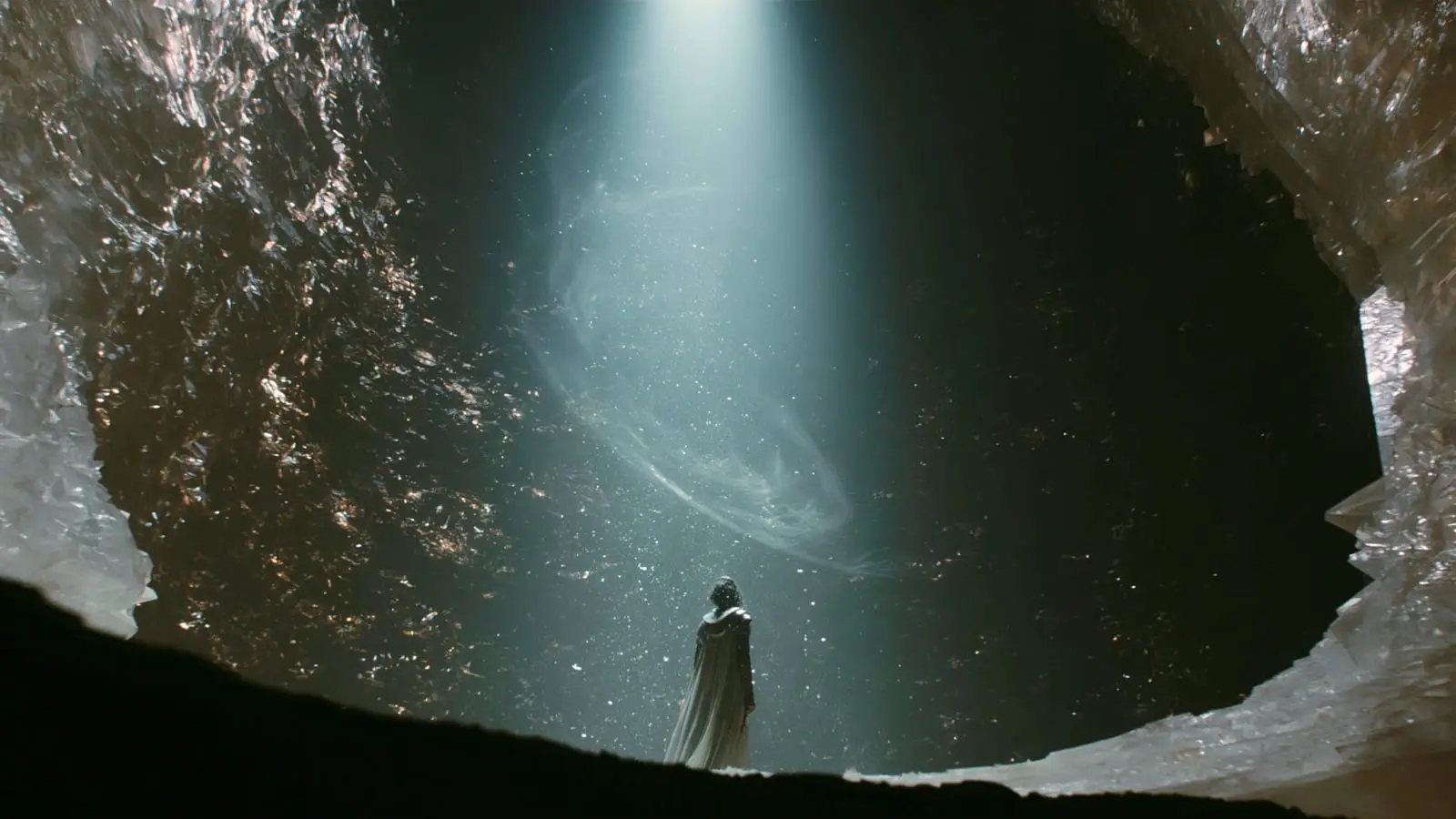
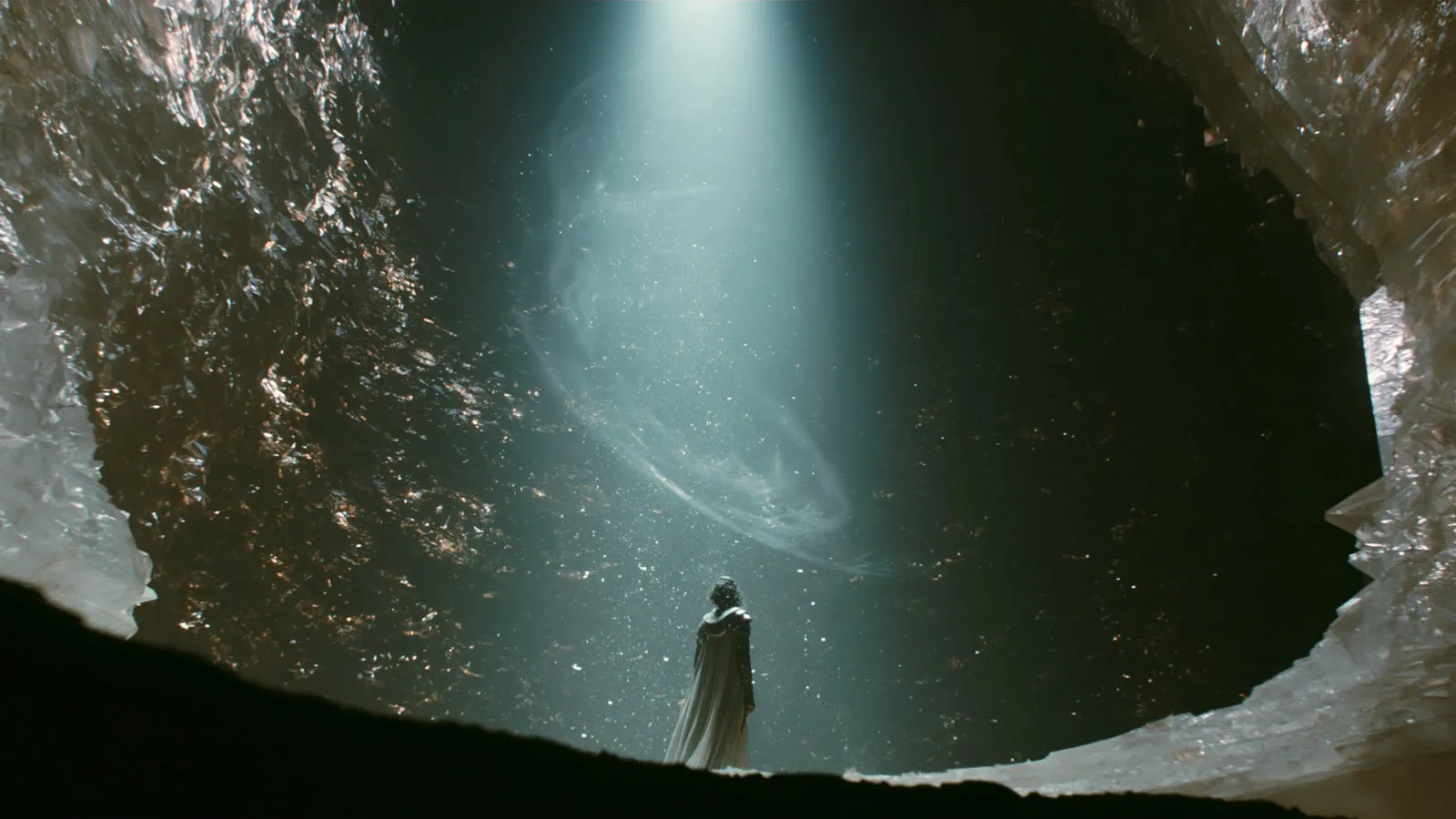
First-frame fidelity matters most in image-to-video, because the image is a promise the clip has to keep. Each model section below plays the same first frame and prompt, rendered at 10 seconds (8 on Veo 3.1, with the same beats condensed to fit its prompt limit): one woman, one walk into a shaft of light and a handheld camera that tilts up to the opening far above.
Prompt
One continuous 10-second shot, no cuts. The first frame is the sole authority on costume, environment and palette. Handheld operator on broken ground, unsteady footing.

Beat 1 (0s to 3s), handheld low wide from behind, slow push in: the woman stands still at the edge of the light, back to camera, exactly as in the first frame: bare head with dark curly hair, armored sleeves, a long pale cape over her shoulders. She takes a slow breath, her shoulders rising, and slowly lifts her head to follow the shaft of light upward. Suspended particles drift through the shaft.

Beat 2 (3s to 6s), the push continues, camera closing and rising: she walks forward into the shaft with slow, deliberate steps, the cape dragging over the crystal, and the light lands across her shoulders and the cape brightens hard against the black walls. She raises both hands into the beam, palms up. The falling particles slow around her fingers and begin to spiral down into her open hands, and the hem of the cape lifts in a rising draft.

Beat 3 (6s to 8s), handheld tilt up, camera craning along the shaft: the tilt follows the spiral of particles up the full height of the canyon to the opening far above, a narrow torn aperture where the light flares brighter in answer.

Beat 4 (8s to 10s), handheld drop back down, overshooting past her and correcting: she is small, dwarfed by the canyon, and drops to one knee in the light with her hands still raised as the shaft narrows around her.

Shot on ARRI Alexa 65, anamorphic, Kodak Vision3 500T emulation, photochemical grain, natural halation, crushed blacks holding detail.

Audio: no music. Raw diegetic sound only: her ragged breathing, crystal grit shifting underfoot, fabric dragging across stone, a long reverberant drip echoing in the canyon, a faint high mineral ringing that swells as the light answers.
1. Seedance 2.5 holds the first frame through every move
Seedance 2.5 scored 4.6, the highest of the 11 image-to-video models in my test.
Price on Runway Dev: 68 credits ($0.68) per second at 1080p.
- Best for: shots that hold the first frame exactly, up to 30 seconds.
- Frames: a first frame, or a first and a last frame.
- Longest clip: 30 seconds in one generation.
- Sound: generated with the picture.
- A 10-second clip: 680 credits ($6.80) on Runway Dev.
Call it with model: "seedance2_5" on image-to-video, text-to-video and video-to-video. The Seedance 2.5 API guide has the request in curl, Node.js and Python, and you can try it in the playground.
2. Seedance 2.0 comes within a tenth of a point for less
Seedance 2.0 scored 4.5, one tenth behind Seedance 2.5, at a lower price per second.
Price on Runway Dev: 40 credits ($0.40) per second at 1080p.
- Best for: near-top image-to-video for less than Seedance 2.5.
- Frames: a first frame, or a first and a last frame.
- Longest clip: 15 seconds in one generation.
- Sound: generated with the picture.
- A 10-second clip: 400 credits ($4.00) on Runway Dev.
Call it with model: "seedance2" on image-to-video, text-to-video and video-to-video. The Seedance 2.0 API guide has the request in curl, Node.js and Python, and you can try it in the playground.
3. Gemini Omni 1.2 Flash animates, edits and extends in one model
Gemini Omni 1.2 Flash scored 4.2, the highest of the lower-priced models, and the same model also edits and extends a clip you already have.
Price on Runway Dev: 10 credits ($0.10) per second at 1080p.
- Best for: animating, editing and extending in one model.
- Frames: a first frame, or a first and a last frame.
- Longest clip: 15 seconds in one generation.
- Sound: native audio in the same pass.
- A 10-second clip: 100 credits ($1.00) on Runway Dev.
Call it with model: "gemini_omni_flash_1.2" on text-to-video, image-to-video and video-to-video. The Gemini Omni 1.2 Flash API guide has the request in curl, Node.js and Python, and you can try it in the playground.
4. MiniMax H3 animates up to nine images in one shot, at 2K
MiniMax H3 scored 4.1 and renders at 2K as well as 768p.
Price on Runway Dev: 15 credits ($0.15) per second at 2K.
- Best for: shots set by several images at once, at 2K.
- Frames: a first frame, a first and a last frame, or up to 9 images.
- Longest clip: 15 seconds in one generation.
- Sound: generated with the picture, steered by reference audio.
- A 10-second clip: 150 credits ($1.50) on Runway Dev.
Call it with model: "hailuo3" on image-to-video, text-to-video and video-to-video. The MiniMax H3 API guide has the request in curl, Node.js and Python, and you can try it in the playground.
5. Wan 3.0 turns up to ten images into one long take
Wan 3.0 scored 4.0 and takes up to 10 images in one request.
Price on Runway Dev: 20 credits ($0.20) per second at 1080p.
- Best for: long single takes from one image or a set of keyframes.
- Frames: a first frame, a first and a last frame, or up to 10 images.
- Longest clip: 30 seconds in one generation.
- Sound: generated in the same pass.
- A 10-second clip: 200 credits ($2.00) on Runway Dev.
Call it with model: "wan3" on image-to-video and text-to-video. The Wan 3.0 API guide has the request in curl, Node.js and Python, and you can try it in the playground.
6. MiniMax H3 Max ties for sixth at the lowest price in the test
MiniMax H3 Max scored 3.9, tied for sixth, and costs the least per second of the 11 models.
Price on Runway Dev: 8 credits ($0.08) per second at 768p.
- Best for: low-cost drafts and previews from a photo.
- Frames: a first frame, or a first and a last frame.
- Longest clip: 15 seconds in one generation.
- Sound: always on, generated with the picture.
- A 10-second clip: 80 credits ($0.80) on Runway Dev.
Call it with model: "h3_max" on image-to-video and text-to-video. The MiniMax H3 Max API guide has the request in curl, Node.js and Python, and you can try it in the playground.
6. Gemini Omni 1.1 Flash makes grounded shots with native audio
Gemini Omni 1.1 Flash scored 3.9, tied for sixth, and generates sound in the same pass as the picture.
Price on Runway Dev: 15 credits ($0.15) per second at 1080p.
- Best for: grounded, cinematic shots with native audio.
- Frames: a first frame, or a first and a last frame.
- Longest clip: 10 seconds in one generation.
- A 10-second clip: 150 credits ($1.50) on Runway Dev.
Call it with model: "gemini_omni_flash_1.1" on text-to-video, image-to-video and video-to-video. The Gemini Omni 1.1 Flash API guide has the request in curl, Node.js and Python, and you can try it in the playground.
8. Kling 4.0 sets a shot by its first, middle and last frames
Kling 4.0 scored 3.7 and is the one model here that takes a middle frame.
Price on Runway Dev: 23.5 credits ($0.235) per second at 1080p.
- Best for: shots whose beginning, middle and end are fixed in advance.
- Frames: a first frame, plus a middle and a last frame.
- Longest clip: 30 seconds in one generation.
- Sound: included in every clip.
- A 10-second clip: 235 credits ($2.35) on Runway Dev.
Call it with model: "kling_4" on image-to-video, text-to-video and video-to-video. The Kling 4.0 API guide has the request in curl, Node.js and Python, and you can try it in the playground.
9. Grok Imagine Video 1.5 animates one image with sound
Grok Imagine Video 1.5 scored 3.6 and renders from 480p to 1080p with sound.
Price on Runway Dev: 29 credits ($0.29) per second at 1080p.
- Best for: one image animated with sound.
- Frames: one first frame.
- Longest clip: 15 seconds in one generation.
- Sound: native audio in the same pass.
- A 10-second clip: 290 credits ($2.90) on Runway Dev.
Call it with model: "grok_imagine_1_5" on image-to-video and text-to-video, or try it in the playground and copy the request from there.
10. HappyHorse 1.0 makes short clips with sound from one image
HappyHorse 1.0 scored 3.3 and adds native audio to every clip.
Price on Runway Dev: 30 credits ($0.30) per second at 1080p.
- Best for: short clips with sound from one image.
- Frames: one first frame.
- Longest clip: 15 seconds in one generation.
- Sound: native audio in every clip.
- A 10-second clip: 300 credits ($3.00) on Runway Dev.
Call it with model: "happyhorse_1_0" on image-to-video and text-to-video, or try it in the playground and copy the request from there.
11. Veo 3.1 animates short shots between a first and a last frame
Veo 3.1 scored 3.0 and returns shots of up to 8 seconds from a first frame, or a first and a last.
Price on Runway Dev: 40 credits ($0.40) per second (With audio).
- Best for: short shots between a first and a last frame, with sound.
- Frames: a first frame, or a first and a last frame.
- Longest clip: 8 seconds in one generation.
- Sound: generated with the picture, or off at a lower rate.
- An 8-second clip: 320 credits ($3.20) on Runway Dev.
Call it with model: "veo3.1" on image-to-video and text-to-video. The Veo 3.1 API guide has the request in curl, Node.js and Python, and you can try it in the playground.
How do you call every top image-to-video model with one API key?
Runway Dev serves all 11 models in this test behind one API key, one credit balance and one bill, so switching from Wan 3.0 to Seedance 2.5 means changing the model field, plus any input the new model takes in another form (Wan 3.0’s auto_1080p ratio becomes the Seedance 2.5 ratio that matches your image, such as 1920:1080, 1080:1920 or 1440:1440), with the same SDK and the same task flow. Create an account at dev.runway.com, make an API key and add credits. You send the image as promptImage (a URL, a data URI or an upload) and describe what happens in promptText.
import RunwayML from '@runwayml/sdk';

const client = new RunwayML(); // reads RUNWAYML_API_SECRET

const task = await client.imageToVideo
  .create({
    model: 'seedance2_5', // or 'seedance2', 'gemini_omni_flash_1.2'...
    promptImage: 'https://example.com/first-frame.jpg',
    promptText:
      'She walks into the shaft of light and raises her arms as the camera tilts up to the opening.',
    ratio: '1920:1080',
    duration: 10,
  })
  .waitForTaskOutput();

console.log(task.output[0]); // the video URL
To set where the shot ends as well as where it starts, send promptImage as a list, each image with its position (first, last, and middle on Kling 4.0):
promptImage: [
  { uri: 'https://example.com/first-frame.jpg', position: 'first' },
  { uri: 'https://example.com/last-frame.jpg', position: 'last' },
],
A coding agent can write the integration for you. The Runway Dev plugin installs the Runway Dev MCP and the Runway Dev skills in Claude Code, Codex, Cursor and Grok Bot, so the agent sees the models your project can call, with their current prices, frames and limits.
Which image-to-video model should you use for each request?
The right image-to-video model depends on the request: a product shot that must hold its label, a shot fixed by a first and a last frame, a cheap preview or a 30-second take. A Model Router makes that choice for each request: you set what it optimizes for (cost, quality or latency), the models it may use and a cost cap, and your code sends the router’s config ID instead of a model ID. The response names the model that ran and what it cost. How to let a Model Router choose the right model for each request walks through the setup, and Best AI video generation APIs in 2026 compares the platforms that serve these models.
FAQ
What is the best image-to-video API in 2026?
Seedance 2.5 from ByteDance scored highest in my image-to-video test of 11 models on ten briefs, 4.6 out of 5, followed by Seedance 2.0 at 4.5. Both run on Runway Dev, along with every other model in the test, on one API key.
What is the cheapest good image-to-video model?
MiniMax H3 Max costs the least per second of the 11 models in my test, 8 credits ($0.08) per second at 768p on Runway Dev, and it tied for sixth at 3.9 out of 5. Gemini Omni 1.2 Flash scored 4.2, third overall, at 10 credits ($0.10) per second at 1080p.
How is image-to-video different from text-to-video?
Image-to-video animates a first frame you supply, while text-to-video generates a clip from a prompt alone. The first frame fixes the look, the subject and the set before generation, so image-to-video depends most on how well a model keeps that picture while it moves. The best text-to-video APIs ranks the same models on prompts alone.
Which image-to-video models take a first and a last frame?
On Runway Dev, Seedance 2.5, Seedance 2.0, Gemini Omni 1.2 Flash, Gemini Omni 1.1 Flash, MiniMax H3, MiniMax H3 Max, Wan 3.0, Kling 4.0 and Veo 3.1 take a last frame as well as a first one, and Kling 4.0 also takes a middle frame.
How long can an image-to-video clip be?
On Runway Dev, Seedance 2.5, Wan 3.0 and Kling 4.0 each return up to 30 seconds of video from one image. Veo 3.1 returns up to 8 seconds.
Does the video keep the aspect ratio of my image?
On several models it does: Wan 3.0, Kling 4.0 and MiniMax H3 can take their output shape from the first frame. Others take a ratio and frame the image to fit it.
Can I use image-to-video output in a commercial product?
Runway Dev doesn’t claim your outputs, so you can use them in commercial products. Can I use AI image and video generation commercially in my product? covers the terms per plan.
How often is this ranking updated?
The test runs again when a new image-to-video model joins Runway Dev, and at least once a month, with the same ten briefs so new scores compare with old ones.
Start building on Runway Dev
Related articles
 Comparisons
11 Best Text-to-Video APIs in 2026, Tested
The best text-to-video APIs in 2026, tested: 11 models ranked on what decides a clip, from prompt adherence to physics and sound, with prices on one API key.
 Comparisons
11 Best AI Video Model APIs in 2026, Tested
The best AI video models in 2026, tested on ten briefs and scored on ten criteria, with what each is best for and one API key to call them all.
 Comparisons
Best AI video generation APIs in 2026
The best AI video generation APIs in 2026: Runway Dev, fal, Replicate, Higgsfield, BytePlus, Kling and Luma compared on models, coding agents, tools and price.