

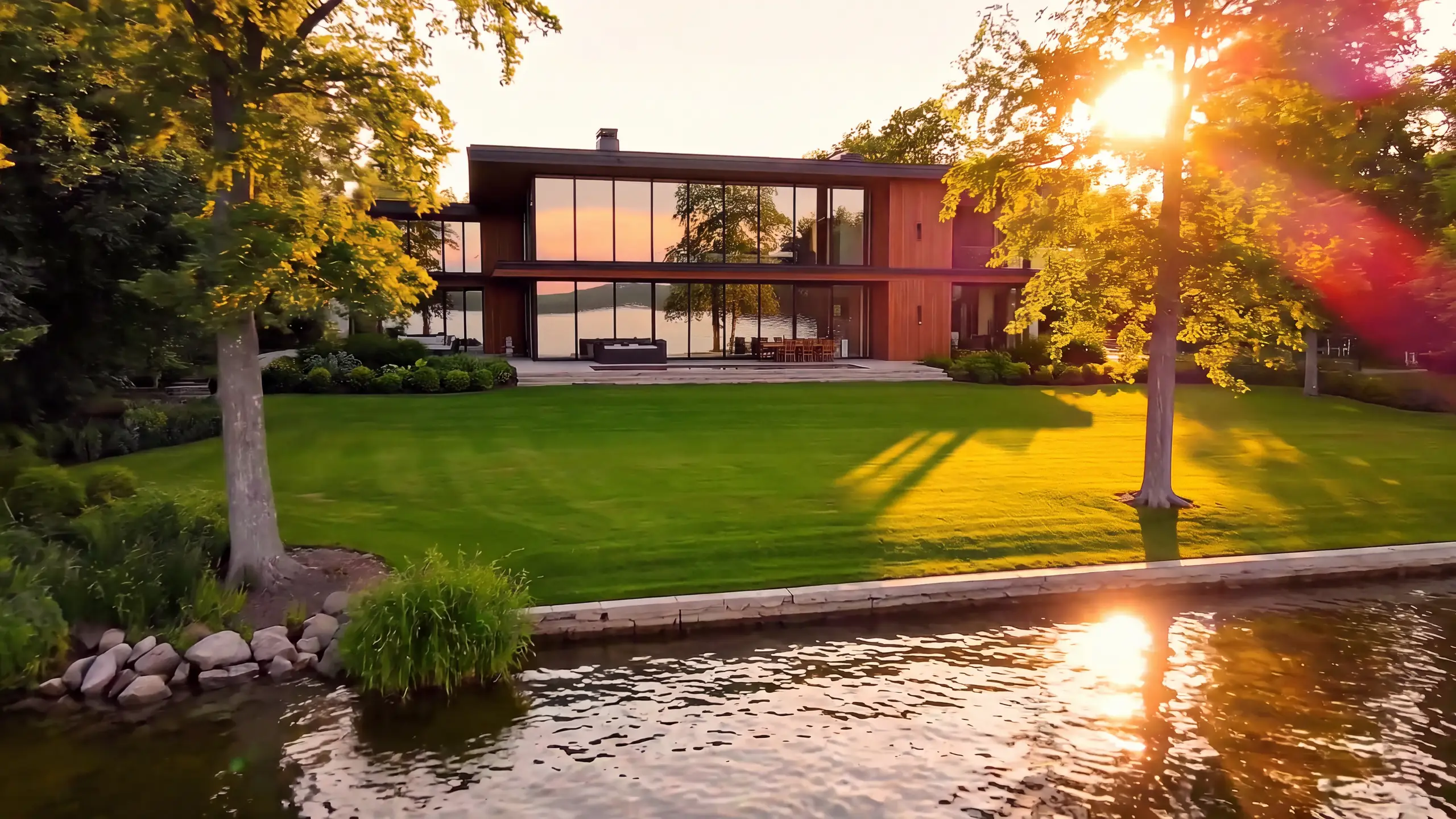
Google Veo 3.1 API: access, pricing and code
Summary
Runway Dev gives you the official Veo 3.1 API from Google in two tiers, Veo 3.1 and Veo 3.1 Fast, available since the day its API launched. Veo 3.1 is Google DeepMind’s video model, and it makes the picture and its sound together, from a text prompt or from images that set the first and last frame. Fast is Google’s tier for lower cost and quicker generation, with the same inputs. This page covers access, pricing, inputs and code, and how your coding agent can build the integration for you.
What is Veo 3.1?
Veo 3.1 is Google DeepMind’s video generation model. It turns a text prompt or an image into a clip of 4, 6 or 8 seconds with audio generated in the same pass: dialogue written into the prompt, sound effects and the ambient sound of the scene.
Prompt
Locked-off wide shot of a thunderstorm rolling in over a golden wheat field at dusk. Wind sweeps waves through the wheat toward the camera, dark clouds churn overhead and a bolt of lightning strikes a hill on the horizon, lighting up the clouds. Audio: wind rushing through the wheat, a low rumble building, then a sharp thunderclap a moment after the flash.Google released Veo 3.1 on October 15, 2025, and Runway Dev offered the official model through its API the same day.
Given a first and a last frame, Veo 3.1 generates the motion between them, and it renders landscape or portrait at the sizes in the ratio list.
What is the difference between Veo 3.1 and Veo 3.1 Fast?
Veo 3.1 Fast takes the same endpoints, fields, ratios and durations as Veo 3.1, and differs in output and price. Fast is Google’s tier for lower cost and quicker generation, with sound like the full model: 15 credits ($0.15) per second (With audio), against 40 credits ($0.40) per second (With audio) on Veo 3.1.
The same prompt, sent to each tier:
Locked-off close shot of a pot of ramen broth simmering on a gas stove in a small kitchen at night, steam rising and curling, bubbles breaking on the surface, a ladle resting on the rim. Audio: the broth bubbling, the low hiss of the gas flame, rain against the window.To switch tiers, change model from veo3.1 to veo3.1_fast. The rest of the request stays the same.
What are the ways to use Veo 3.1 on Runway Dev?
Veo 3.1 runs on Runway Dev four ways, all from one account:
| Way in | Best for | What you need |
|---|---|---|
| Playground | Trying a prompt, then copying the request as code | A Runway Dev account |
| API and SDKs | Calling Veo 3.1 from your own code | An API key, plus the Node or Python SDK if you want one |
| Coding agent | Having Claude Code, Codex or Cursor build the API integration into your product, tool or pipeline | The Runway Dev MCP and skills, and an API key for live calls |
| Workflows | Veo 3.1 as one step with other models, run with one API call | A workflow built in the Runway app and published as an endpoint |
The playground runs Veo 3.1. Veo 3.1 Fast is called through the API, the SDKs or a coding agent.
Veo 3.1 is also available in Model Router, a saved config you send with the request instead of a model ID. You set what to optimize for (cost, quality or latency), a maximum cost per generation and the models allowed, and the router picks one for each request sent to POST /v1/generate/video.
How do you get API access to Veo 3.1?
You get API access to Veo 3.1 with a Runway Dev account and an API key:
- Create an account at https://dev.runway.com.
- Create an API key in your project’s dashboard.
- Add credits to your project’s balance.
- Store the key in your environment as
RUNWAYML_API_SECRET. - Send a request with
"model": "veo3.1"(orveo3.1_fast) and theX-Runway-Versionheader to one of its endpoints. The code below is ready to run.
How much does the Veo 3.1 API cost?
The Veo 3.1 API on Runway Dev is billed per second of the video it makes, at one rate with audio and a lower one without: 40 credits ($0.40) per second (With audio) on Veo 3.1, with lower rates without audio and on Fast.
Veo 3.1
| Option | Credits | USD |
|---|---|---|
| With audio | 40 credits per second | $0.40 per second |
| Without audio | 20 credits per second | $0.20 per second |
- The same rate at 720p and 1080p.
- A 4-second clip costs 160 credits ($1.60) with audio or 80 credits ($0.80) without audio.
Veo 3.1 Fast
| Option | Credits | USD |
|---|---|---|
| With audio | 15 credits per second | $0.15 per second |
| Without audio | 10 credits per second | $0.10 per second |
- The same rate at 720p and 1080p.
- A 4-second clip costs 60 credits ($0.60) with audio or 40 credits ($0.40) without audio.
Prices current as of October 22, 2026. 1 credit = $0.01.
Prompt
Locked-off wide shot of a calm mountain lake at sunrise, low fog drifting slowly across the water, a wooden dock in the foreground and pine-covered slopes behind. Small ripples spread where a fish breaks the surface. Audio: water lapping against the dock, a loon calling across the lake, a light breeze.How the billing works:
- Only output is billed. Input images add nothing to the price.
- Audio is on unless you turn it off. A request that leaves out
audiois billed at the rate with audio. Send"audio": falsefor the lower one. - A request rejected with a 400 costs nothing. Fields and values are checked before a task is created, so a wrong one isn’t billed.
- A task that fails input moderation (
SAFETY.INPUT.*) is still charged. See task failures for what each failure means.
Every rate is also listed on dev.runway.com/pricing and in the docs pricing guide.
What inputs does Veo 3.1 accept?
Veo 3.1 accepts a prompt of up to 1,000 characters, a duration of 4, 6 or 8 seconds, and one or two images as keyframes. Each endpoint uses them its own way.
On POST /v1/text_to_video the prompt is the whole request. Write the sound into it as well as the picture: the lines a character speaks, the sound effects and the ambience.
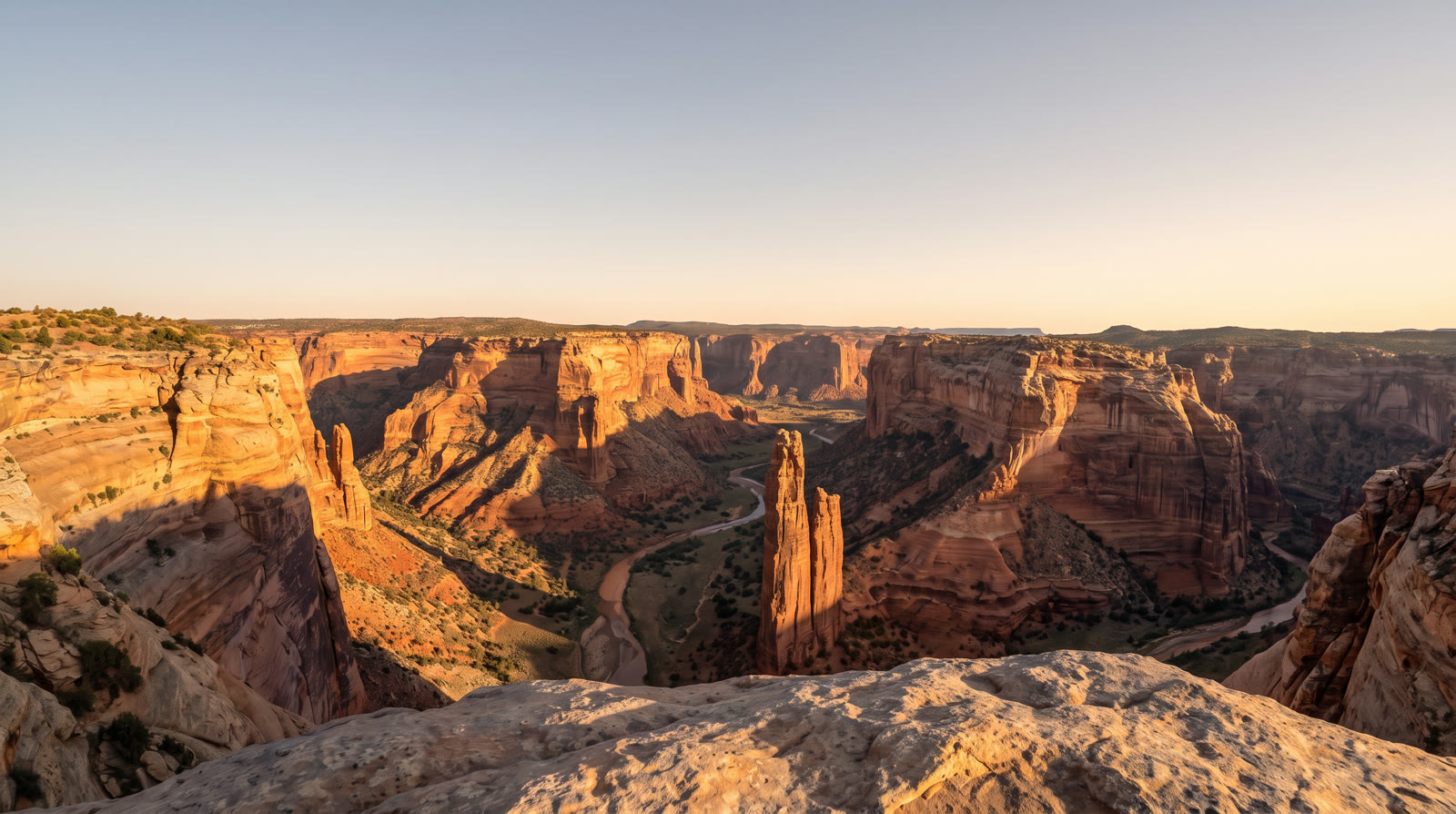
On POST /v1/image_to_video you set the opening frame, and the closing one if you want it. A single promptImage URL is the first frame. To set both, send a list with one image whose position is first and one whose position is last, and Veo 3.1 generates the motion between them. A last frame on its own is rejected, and the prompt is optional on this endpoint.
Inputs
 First frame
 Last frame
Prompt
Time-lapse from night to sunrise from a fixed viewpoint over the canyon: the stars fade, the sky warms from deep blue to gold and sunlight slides down the canyon walls into the riverbed. Audio: night insects giving way to morning birdsong and a light wind.Here is every field, by tier and endpoint:
Veo 3.1
POST /v1/image_to_video
| Field | Accepts |
|---|---|
model (required) |
veo3.1 |
promptText |
Text, 1 to 1,000 characters |
promptImage (required) |
One image, or a list of up to 2 images, each with an optional position of first or last |
ratio (required) |
One of 1280:720, 720:1280, 1080:1920 or 1920:1080 |
audio |
true or false. Default true |
negativePrompt |
Text, 1 to 1,000 characters |
seed |
Whole number from 0 to 4,294,967,295 |
duration |
One of 4, 6 or 8 |
POST /v1/text_to_video
| Field | Accepts |
|---|---|
model (required) |
veo3.1 |
promptText (required) |
Text, 1 to 1,000 characters |
ratio (required) |
One of 1280:720, 720:1280, 1080:1920 or 1920:1080 |
audio |
true or false. Default true |
negativePrompt |
Text, 1 to 1,000 characters |
seed |
Whole number from 0 to 4,294,967,295 |
duration |
One of 4, 6 or 8 |
Veo 3.1 Fast
POST /v1/text_to_video
| Field | Accepts |
|---|---|
model (required) |
veo3.1_fast |
promptText (required) |
Text, 1 to 1,000 characters |
ratio (required) |
One of 1280:720, 720:1280, 1080:1920 or 1920:1080 |
audio |
true or false. Default true |
negativePrompt |
Text, 1 to 1,000 characters |
seed |
Whole number from 0 to 4,294,967,295 |
duration |
One of 4, 6 or 8 |
POST /v1/image_to_video
| Field | Accepts |
|---|---|
model (required) |
veo3.1_fast |
promptText |
Text, 1 to 1,000 characters |
promptImage (required) |
One image, or a list of up to 2 images, each with an optional position of first or last |
ratio (required) |
One of 1280:720, 720:1280, 1080:1920 or 1920:1080 |
audio |
true or false. Default true |
negativePrompt |
Text, 1 to 1,000 characters |
seed |
Whole number from 0 to 4,294,967,295 |
duration |
One of 4, 6 or 8 |
Images go in as an HTTPS URL, a runway:// URI from an upload or a data URI; inputs lists sizes and formats. Each table shows what a field accepts on its own. Rules that combine fields are checked when the task is submitted, and the API reference has them in full.
A few rules change what you send:
ratiosets the resolution as well as the shape. Each value is an output size in pixels. At 1080p, Veo 3.1 accepts only 8 seconds, and a shorterdurationreturns a 400 when you submit.- Audio is generated unless you turn it off.
audiodefaults totrue; sendfalsefor a silent clip at the lower rate. - Leaving out
negativePromptapplies Runway’s default negative prompt. Send your own to replace it. - The same
seedgives a similar result, not an identical one, when you repeat a request. - Unknown fields return a 400. The request schema is strict, so a field name from another API, such as
generateAudio,durationSecondsoraspectRatio, is rejected rather than ignored. - An image that doesn’t match
ratiomay be cropped or resized, which can change its composition. Keyframes must also fit the aspect range in inputs.
How do you call Veo 3.1 from curl, Node and Python?
You call Veo 3.1 by sending veo3.1 as the model to one of its endpoints. This request makes a clip with sound from text with POST /v1/text_to_video, and the other fields keep their defaults:
curl
curl -X POST https://api.dev.runwayml.com/v1/text_to_video \
  -H "Authorization: Bearer $RUNWAYML_API_SECRET" \
  -H "X-Runway-Version: 2024-11-06" \
  -H "Content-Type: application/json" \
  -d '{
    "model": "veo3.1",
    "promptText": "Locked-off wide shot of a lighthouse on a rocky point at dusk. Waves break against the rocks below and its beam sweeps across the darkening sea. Audio: waves crashing, wind gusting, a distant foghorn.",
    "ratio": "1280:720"
  }'

# The response carries the task id. Poll the task until it finishes:
curl https://api.dev.runwayml.com/v1/tasks/$TASK_ID \
  -H "Authorization: Bearer $RUNWAYML_API_SECRET" \
  -H "X-Runway-Version: 2024-11-06"
Node.js
import RunwayML, { TaskFailedError } from '@runwayml/sdk';

// Reads your API key from RUNWAYML_API_SECRET.
const client = new RunwayML();

try {
  const task = await client.textToVideo
    .create({
      model: 'veo3.1',
      promptText: 'Locked-off wide shot of a lighthouse on a rocky point at dusk. Waves break against the rocks below and its beam sweeps across the darkening sea. Audio: waves crashing, wind gusting, a distant foghorn.',
      ratio: '1280:720',
    })
    .waitForTaskOutput();
  console.log(task.output);
} catch (error) {
  if (error instanceof TaskFailedError) {
    console.error(error.taskDetails);
  } else {
    throw error;
  }
}
Python
from runwayml import RunwayML, TaskFailedError

# Reads your API key from RUNWAYML_API_SECRET.
client = RunwayML()

try:
    task = client.text_to_video.create(
        model="veo3.1",
        prompt_text="Locked-off wide shot of a lighthouse on a rocky point at dusk. Waves break against the rocks below and its beam sweeps across the darkening sea. Audio: waves crashing, wind gusting, a distant foghorn.",
        ratio="1280:720",
    ).wait_for_task_output()
    print(task.output)
except TaskFailedError as error:
    print(error.task_details)
ratio is required, so the sample sends its first allowed value. It takes 1280:720, 720:1280, 1080:1920 or 1920:1080.
To call Fast, send veo3.1_fast as the model. The rest of the request stays the same.
Generation is asynchronous:
- The create request returns a task ID right away, and the video is made in the background.
- Poll
GET /v1/tasks/{id}with backoff until the status isSUCCEEDED,FAILEDorCANCELLED.THROTTLEDmeans the task is waiting in a queue, not rejected. - Output URLs are temporary, so download the video when the task succeeds. See outputs.
- The SDKs poll for you.
waitForTaskOutput()andwait_for_task_output()raiseTaskFailedErrorwith the task’s details when it fails. They also stop waiting after a default timeout while the task keeps running, so pass a longer timeout or keep polling the task ID. - To use your own rules instead of one fixed model, send a Model Router’s
configIdtoPOST /v1/generate/videoin place of the model. AdddryRunto see which model it picks without creating a task.
Why does a Veo 3.1 API request fail?
A Veo 3.1 request fails with a 400 when a field is wrong, and a task fails with a failure code that names the cause. The common ones:
- A 400 that names
generateAudio,durationSecondsoraspectRatio: the request carries field names from another API. Useaudio,durationandratio. - A 400 for a 1080p
ratiowith a shorterduration: Veo 3.1 renders 1080p only at 8 seconds. Send that duration, or a smallerratio. - A 400 on
ratioorduration: values copied from another model can be outside Veo 3.1’s lists. Take them from the inputs above. - An image-to-video request with only a last frame: Veo 3.1 needs a first frame. Add one with
positionset tofirst. SAFETY.INPUT.*: content moderation rejected an input. The task is charged and shouldn’t be retried as is: change the inputs first. When Google’s own filters reject the request, the failure message says it was rejected by the moderation service of the model’s provider.INTERNAL.BAD_OUTPUT.01: the output failed a quality check, often because of logos, watermarks or text in the input image. Remove them and retry.ASSET.INVALID: the input image’s dimensions or format are outside what the model takes. Check it against inputs and fix it before retrying.THIRD_PARTY.UNAVAILABLE: the model’s provider didn’t return the video, because of an outage or load. Wait, then retry.- A bill at the rate with audio:
audiodefaults totrue. Send"audio": falsefor a silent clip. - An output link that stopped working: output URLs expire. Download the video when the task succeeds.
What does Runway Dev add when you call Veo 3.1?
Runway Dev serves Veo 3.1 next to Runway’s own models and other labs’ models, behind one API key and one credit balance: you build with a single key and pay a single bill, instead of an account, a key and an invoice per lab.
A coding agent can do the Veo 3.1 integration for you on Runway Dev, end to end. Connect the Runway Dev MCP and the agent works from your live account: the models your project can call with their current prices and input limits, your credit balance and the record behind any task. It writes the integration against what the API accepts today, and when a task fails it looks up the reason and fixes it. The Runway Dev skills show the agent how to integrate with the official SDKs and how to build with models, Model Routers, Recipes and Workflows.
With Workflows, Veo 3.1 becomes one step of a larger pipeline: chain it with Runway’s own models and other labs’ models, for images, video and audio, and run the whole pipeline with a single API call. Workflows don’t need to be built by a developer. A creative or marketing teammate builds and tests one visually in the Runway app (how Workflows work), then publishes it as an endpoint that your code calls. When the team updates the workflow, your code keeps calling the same endpoint.
FAQ
How do I get API access to Veo 3.1?
Create a Runway Dev account at dev.runway.com, make an API key and add credits. Then send veo3.1 or veo3.1_fast as the model to either of its endpoints: POST /v1/image_to_video and POST /v1/text_to_video. To have a coding agent write the integration instead, connect the Runway Dev MCP and install the Runway Dev skills: the agent builds it from your live account, with the prices and input limits your project has today.
Can I use the Veo 3.1 API without a Google Cloud account?
You can use the Veo 3.1 API without a Google Cloud account: a Runway Dev account and API key are all you need. There’s no Google Cloud project, billing account or region to set up, and Veo 3.1 is paid from the same credit balance as every other model on Runway Dev.
How much do Veo 3.1 and Veo 3.1 Fast cost through the API?
On Runway Dev, Veo 3.1 costs 40 credits ($0.40) per second (With audio) and 20 credits ($0.20) per second (Without audio). Veo 3.1 Fast costs 15 credits ($0.15) per second (With audio) and 10 credits ($0.10) per second (Without audio). Each rate is the same at every resolution, input images add no charge, and audio is on unless you turn it off. Prices are current as of October 22, 2026.
Is the Veo 3.1 API on Runway Dev the official model?
Runway Dev’s Veo 3.1 API runs the official Veo 3.1 models from Google, Fast included. You call them with your Runway Dev API key and the model IDs veo3.1 and veo3.1_fast, like every other model on Runway Dev.
Can I use Veo 3.1 without writing code?
You can use Veo 3.1 on Runway Dev without writing code yourself. The playground sends a request from a form and gives it back as code, and a coding agent connected to the Runway Dev MCP writes the integration for you. A creative or marketing teammate can also build a workflow around Veo 3.1 in the Runway app and publish it as an endpoint your app calls.
Does the same Runway Dev API key work for Veo 3.1 and other models?
One Runway Dev API key calls Veo 3.1 and every other model your project can use, Runway’s own and other labs’, with the same SDKs, task flow and credit balance. Switching models means changing the model field, or the rules of a Model Router.
What are the Veo 3.1 and Veo 3.1 Fast model IDs?
The model IDs are veo3.1 for Veo 3.1 and veo3.1_fast for Veo 3.1 Fast. Both work on the same two endpoints: POST /v1/image_to_video and POST /v1/text_to_video. Veo 3 (veo3) was retired on August 4, 2026, and requests that name it return an error pointing to veo3.1.
How long can a Veo 3.1 video be, and at what resolutions?
A Veo 3.1 clip on Runway Dev runs 4, 6 or 8 seconds, set with duration. The ratio you send sets the orientation and the resolution: its values are output sizes in pixels (One of 1280:720, 720:1280, 1080:1920 or 1920:1080), and the 1080p sizes take only 8 seconds. Veo 3.1 Fast offers the same options.
Does Veo 3.1 generate audio through the API?
Veo 3.1 generates audio with the video by default, on both tiers and both endpoints: dialogue you write into the prompt, sound effects and ambience. Send "audio": false for a silent clip, which is billed at the lower rate. The field is audio: generateAudio returns a 400.
Can Veo 3.1 animate an image or interpolate between a first and last frame through the API?
Veo 3.1 animates an image through POST /v1/image_to_video, and interpolates between two images sent as frames. Pass promptImage as a list with one image whose position is first and one whose position is last. A last frame on its own is rejected, and promptText is optional on this endpoint.
Why did my Veo 3.1 request fail with SAFETY.INPUT.TEXT?
SAFETY.INPUT.TEXT means content moderation rejected an input of your request; the suffix hints at the prompt but may not match. The task is charged and shouldn’t be retried as is, so change the prompt or inputs before you send it again.
Can I switch from Veo 3.1 to another video model without changing my code?
A Model Router lets you change models without touching your code. Send its configId to POST /v1/generate/video, and change the models it may use, its priority or its cost cap in the router.
How do you generate video with sound through an API?
You generate video with sound through an API by calling a model that makes audio natively, so dialogue, sound effects and ambience arrive in the same file as the picture. On Runway Dev, Veo 3.1 does this on POST /v1/image_to_video and POST /v1/text_to_video, with audio on by default. Through a Model Router, "audio": true on POST /v1/generate/video keeps only models that output audio eligible, and the router picks among them within your rules.
Start building on Runway Dev
Related articles
 Tutorials
Choosing the right model for your use case
Why video and image models are not interchangeable, and how to set up a Model Router that picks the best model for every request.
 Concepts
Can I use AI image and video generation commercially in my product?
Provider terms, copyright, input rights, training and disclosure: what decides whether you can ship AI images and video commercially.
 Use cases
How to generate product videos with an API, at scale
How to build an API pipeline that turns product photos into finished video ads, which model to use at each step, and what a product video costs.