

Seedance 2.0 API: access, pricing and code
Summary
Runway Dev gives you the official Seedance 2.0 API from ByteDance in three tiers: Seedance 2.0, Seedance 2.0 Fast and Seedance 2.0 Mini. Seedance 2.0 is ByteDance’s video model for multi-shot clips with sound, made from text, images, video or audio, and the tier with the highest generation quality. Fast balances cost with generation speed, and Mini costs the least. All three take the same inputs. This page covers access, pricing, inputs and code, and how your coding agent can build the integration for you.
What is Seedance 2.0?
Seedance 2.0 is ByteDance’s video generation model for multi-shot clips with sound. It turns a text prompt, images, video and audio, alone or combined, into clips of 4 to 15 seconds, with dual-channel audio generated in the same pass. ByteDance announced it on February 12, 2026.
Prompt
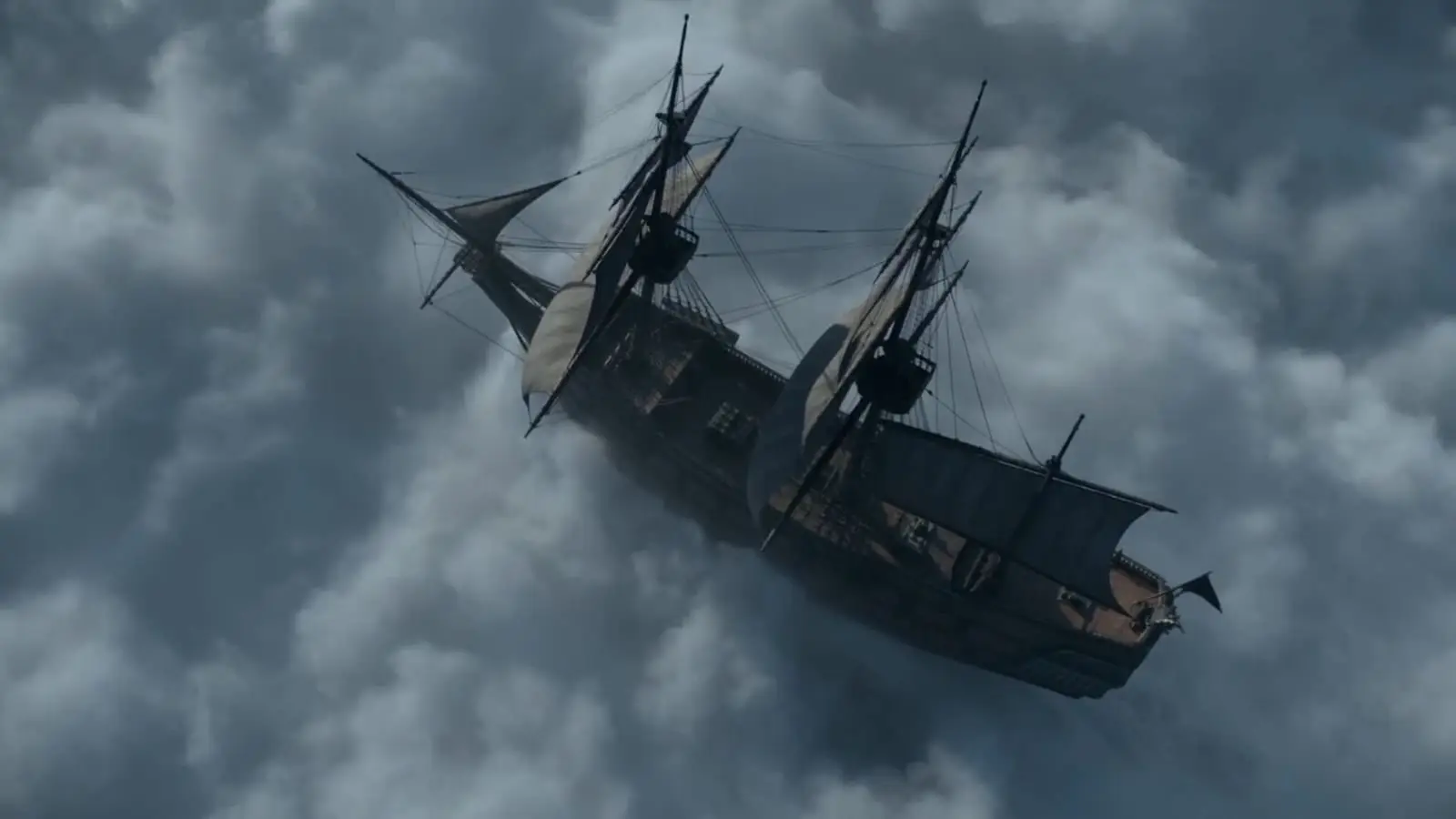
Mythic wide reveal, photoreal, painterly muted palette of wet greens and cold greys.

BEAT 1 (0s-4s), locked-off extreme wide across a fog-flooded valley at dusk:

A lone traveler in a mustard wool cloak walks through the foreground from screen right toward screen left, tiny against the landscape, facing screen left. Dense fog fills the midground and background, hiding the valley floor. Bare black trees puncture the fog in the midground. Cold blue-grey dusk light, the traveler's cloak the only warm note in the frame.

BEAT 2 (4s-8s), same locked frame, the fog thins in the background:

A colossal humanoid figure resolves out of the fog in the deep background, screen right, walking with immense slowness toward screen left, parallel to the traveler. Its silhouette is stone-grey skin streaked with moss, shoulders breaching the fog layer like hills. Each footfall lands seconds apart, fog rolling outward from the impact in slow pressure waves. The traveler stops mid-stride, foreground screen left, and turns to face it.

BEAT 3 (8s-10s), same locked frame, holding the two scales in tension:

The giant's head turns toward the traveler, a slow rotation with the inertia of a moving hillside. Fog streams off its shoulders in thin waterfalls. The traveler stands motionless, cloak edge lifting in the displaced air.

Shot on 35mm anamorphic, Kodak Vision3 500T, photochemical grain, painterly low-contrast grade, natural aerial perspective softening the giant, deep atmospheric haze layering the planes.

Audio: NO MUSIC. Raw diegetic SFX only: colossal distant footfalls seconds apart, low seismic rumble, fog-damped wind, cloak fabric lifting.
What is the difference between Seedance 2.0, Fast and Mini?
Seedance 2.0 Fast and Seedance 2.0 Mini take the same endpoints, fields, durations and references as Seedance 2.0, and differ in output and price. Seedance 2.0 is ByteDance’s tier for the highest generation quality, and the only one of the three that renders the larger sizes, at 40 credits ($0.40) per second at 1080p and 150 credits ($1.50) per second at 4K. Fast balances cost with generation speed, and Mini costs the least, both at the smaller sizes in the ratio list.
The same prompt, sent to each tier:
A hummingbird hovers at a red hibiscus flower in a sunlit garden, wings a blur, then darts out of frame. Macro lens, shallow depth of field, slow push-in. <the hum of wings> <distant birdsong>. No text.To switch tiers, change model and keep ratio within that tier’s list. The inputs tables below show each list.
What are the ways to use Seedance 2.0 on Runway Dev?
Seedance 2.0 runs on Runway Dev four ways, all from one account:
| Way in | Best for | What you need |
|---|---|---|
| Playground | Trying a prompt, then copying the request as code | A Runway Dev account |
| API and SDKs | Calling Seedance 2.0 from your own code | An API key, plus the Node or Python SDK if you want one |
| Coding agent | Having Claude Code, Codex or Cursor build the API integration into your product, tool or pipeline | The Runway Dev MCP and skills, and an API key for live calls |
| Workflows | Seedance 2.0 as one step with other models, run with one API call | A workflow built in the Runway app and published as an endpoint |
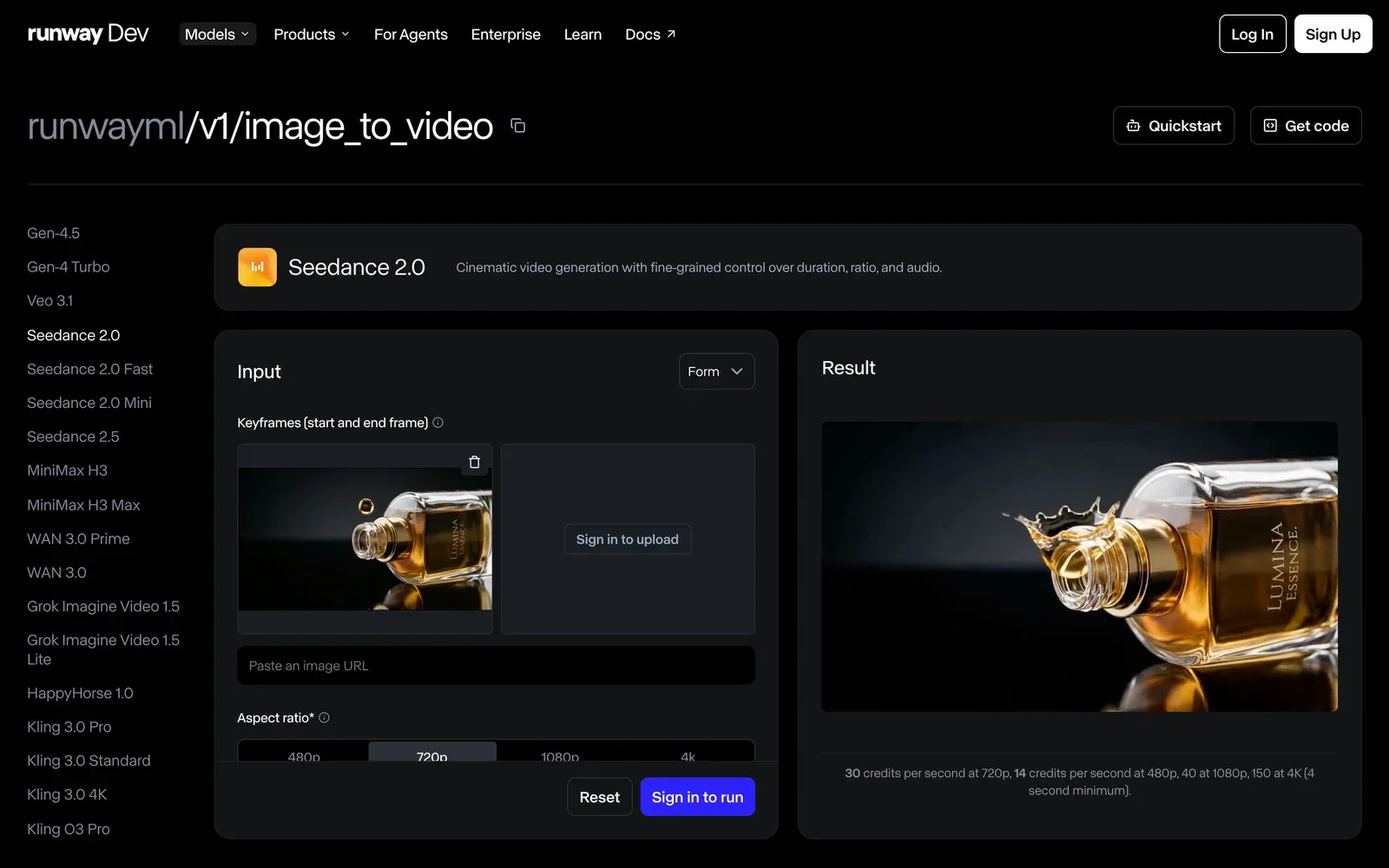
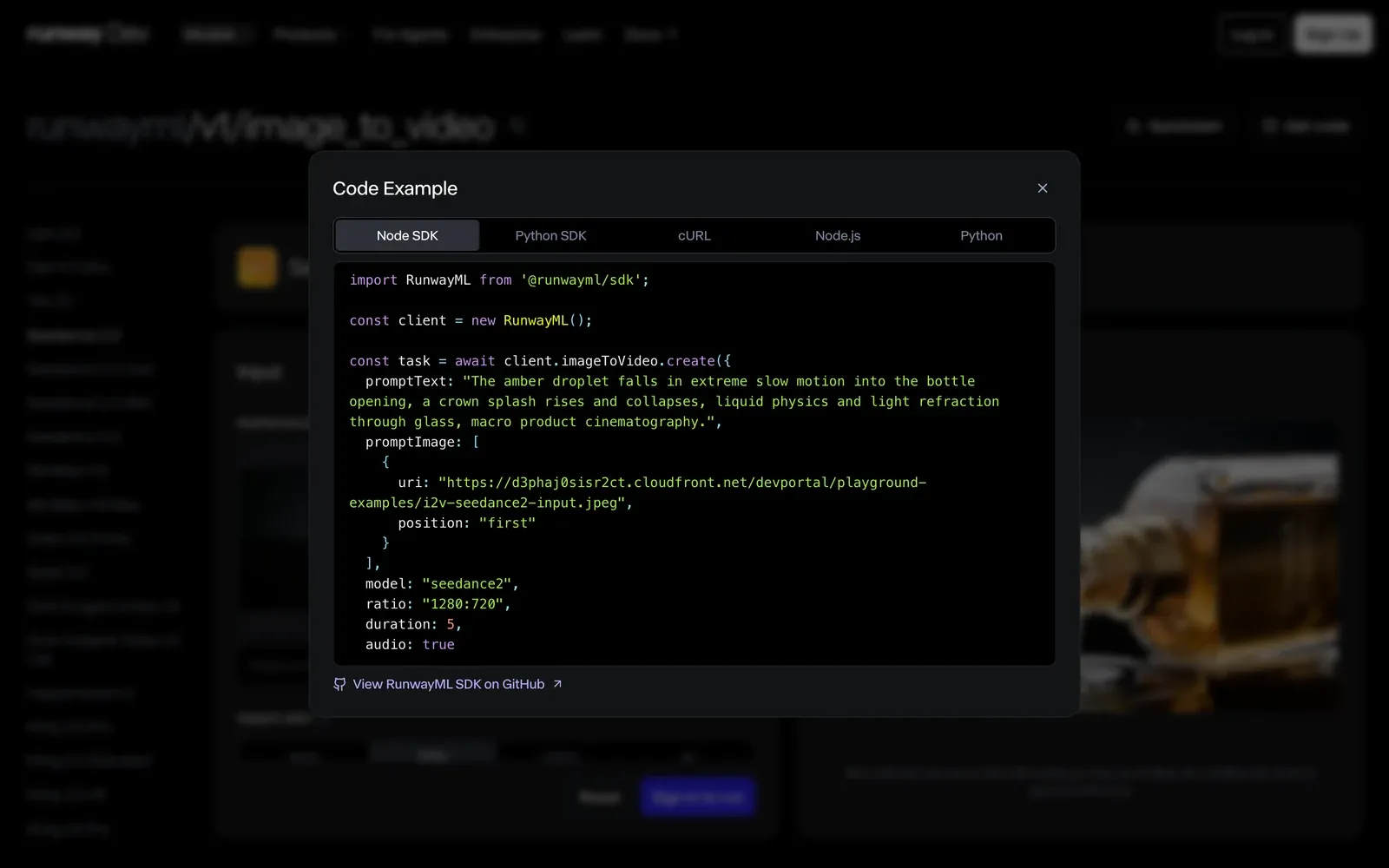
Seedance 2.0 is also available in Model Router, a saved config you send with the request instead of a model ID. You set what to optimize for (cost, quality or latency), a maximum cost per generation and the models allowed, and the router picks one for each request sent to POST /v1/generate/video.
How do you get API access to Seedance 2.0?
You get API access to Seedance 2.0 with a Runway Dev account and an API key:
- Create an account at https://dev.runway.com.
- Create an API key in your project’s dashboard.
- Add credits to your project’s balance.
- Store the key in your environment as
RUNWAYML_API_SECRET. - Send a request with
"model": "seedance2"(orseedance2_fast,seedance2_mini) and theX-Runway-Versionheader to one of its endpoints. The code below is ready to run.
How much does the Seedance 2.0 API cost?
The Seedance 2.0 API on Runway Dev is billed per second of the video it makes, at a rate set by the tier and the output resolution: 40 credits ($0.40) per second at 1080p on Seedance 2.0, with lower rates at lower resolutions and on Fast and Mini.
Seedance 2.0
| Resolution | Credits | USD |
|---|---|---|
| 720p | 30 credits per second | $0.30 per second |
| 480p | 14 credits per second | $0.14 per second |
| 1080p | 40 credits per second | $0.40 per second |
| 4K | 150 credits per second | $1.50 per second |
- Minimum 4 seconds per generation.
Seedance 2.0 Fast
| Resolution | Credits | USD |
|---|---|---|
| 720p | 24 credits per second | $0.24 per second |
| 480p | 11 credits per second | $0.11 per second |
- Minimum 4 seconds per generation.
Seedance 2.0 Mini
| Resolution | Credits | USD |
|---|---|---|
| 720p | 15 credits per second | $0.15 per second |
| 480p | 7 credits per second | $0.07 per second |
- Minimum 4 seconds per generation.
Prices current as of October 21, 2026. 1 credit = $0.01.
Prompt
Extreme close-up of dew drops strung along a spider web at sunrise, each drop catching warm light, the meadow soft and out of focus behind. Slow lateral track along the web with a gentle rack focus from one strand to the next. <a light breeze> <distant birdsong>. Macro, rich fine detail, no text, no logos.How the billing works:
- Only output is billed. Input videos and reference images, videos and audio add nothing to the price.
- Each tier has a minimum per generation, listed under its prices.
- A
durationofautois billed as 15 seconds up front, and what the clip doesn’t use is refunded once it finishes. - A task that fails input moderation (
SAFETY.INPUT.*) is still charged. See task failures for what each failure means.
Every rate is also listed in the docs pricing guide.
What inputs does Seedance 2.0 accept?
Seedance 2.0 accepts a prompt of up to 3,500 characters, a duration of 4 to 15 seconds or auto, and images, video and audio as keyframes, inputs and references. Each endpoint uses them its own way.
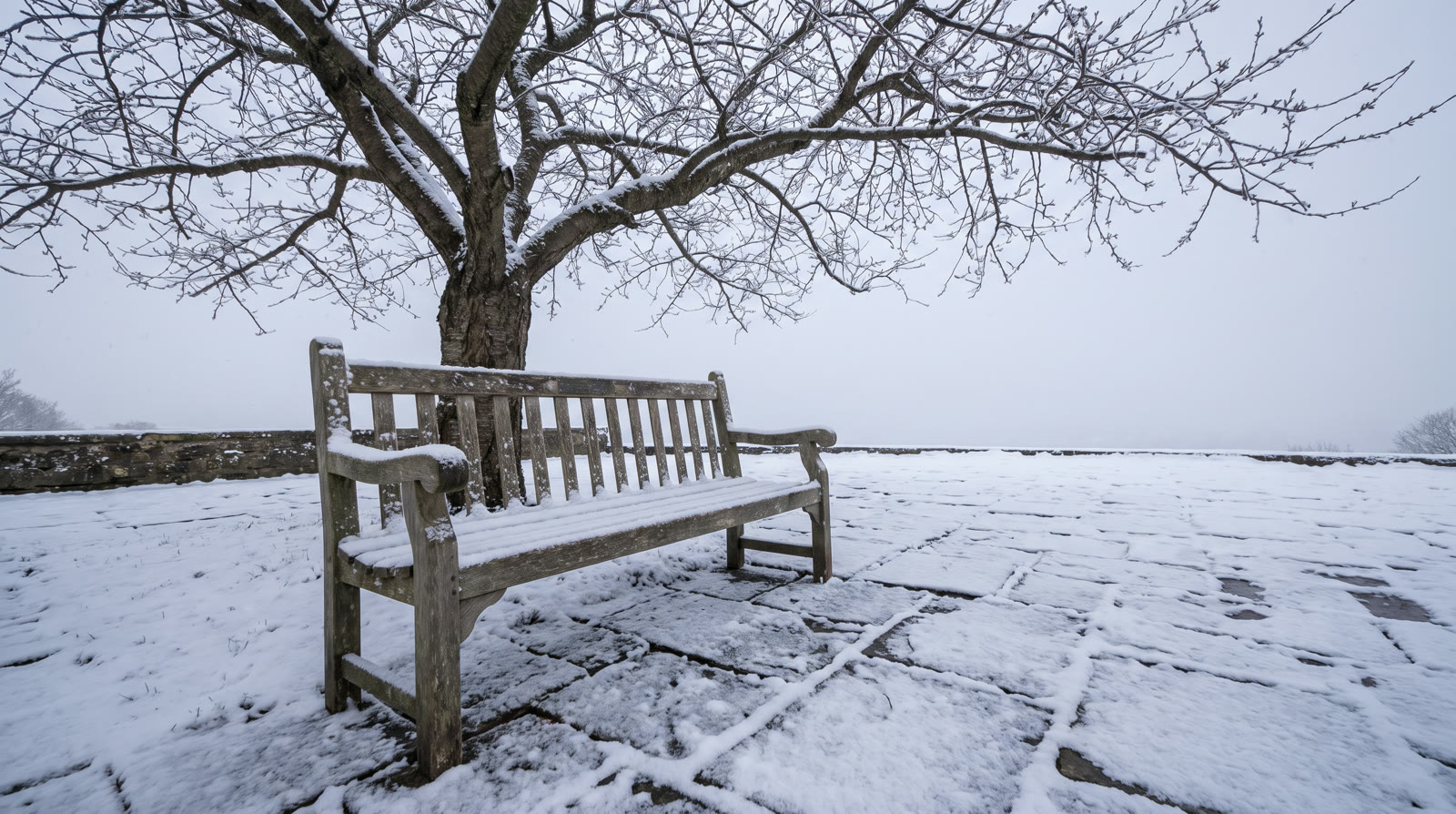
On POST /v1/image_to_video you set the opening and closing frames, or pass images as references instead, never both in one request. A single promptImage URL is the first frame. For keyframes, send a list with a position of first, and last if you want a closing frame. For references, send a list with no position on any image: that is also the only mode that takes referenceAudio, which needs a promptText.
Inputs
 First frame
 Last frame
Prompt
Winter turns to spring in one continuous shot: the snow melts off the bench and the paving, the grass greens and the cherry tree buds and opens into pink blossom, a few petals drifting down. Fixed camera, time-lapse. <meltwater dripping> <birdsong rising>. No people, no text.On POST /v1/text_to_video a prompt can be steered by up to 9 images, 3 videos and 3 audio clips, to hold a subject, a motion or a sound steady across the clip. The prompt is required: references steer it but can’t replace it.
Inputs
 @balloon
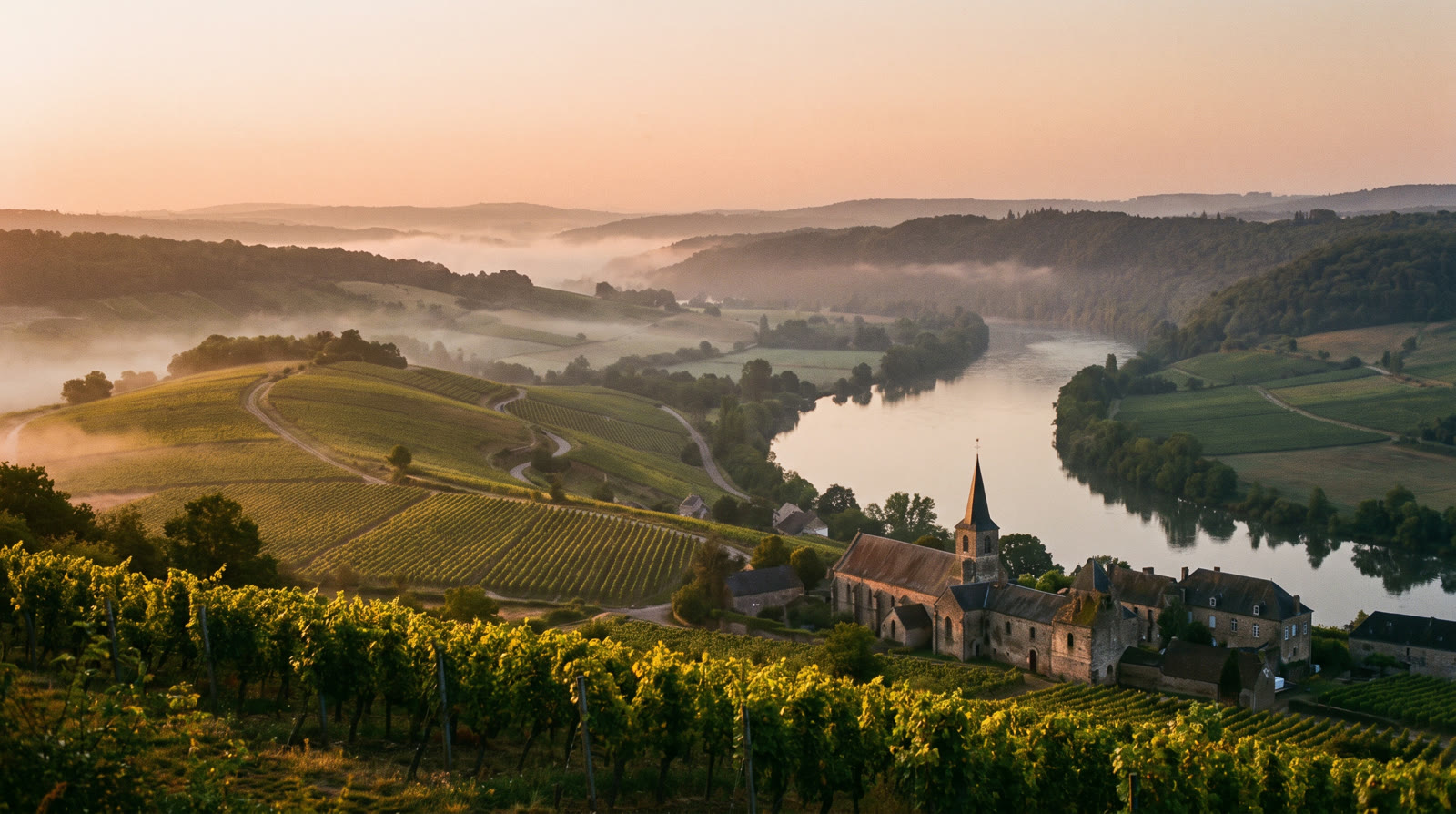 @valley
Prompt
The hot-air balloon from @balloon, its patchwork of mustard, teal and coral panels and its navy band unchanged, drifts slowly over the valley from @valley at sunrise, a wicker basket hanging beneath it with two passengers, seen small. Shot 1: wide shot from the hillside as the balloon drifts across the valley above the vineyards and the river, mist in the hollows. Shot 2: tracking shot level with the balloon as the burner flame flares and lifts it gently, the village and the church tower far below. The balloon does not spin, and the same balloon and the same valley appear in every shot. <the roar of the burner> <birdsong from the vineyards> <a light wind>. Natural film look, fine grain, no text, no logos.On POST /v1/video_to_video your clip is the reference for a new video, alongside up to 9 images, 2 videos and 3 audio clips, and the prompt says what to keep and what to change. Seedance 2.0 takes no mode there; the explicit extend and edit modes are on Seedance 2.5. The input video and any reference videos share one combined length cap, and reference audio has its own, both in the API reference.
Here is every field, by tier and endpoint:
Seedance 2.0
POST /v1/image_to_video
| Field | Accepts |
|---|---|
model (required) |
seedance2 |
promptImage (required) |
One image, or a list of images, each with an optional position of first or last |
promptText |
Text, 1 to 3,500 characters |
audio |
true or false. Default true |
seed |
Whole number from 0 to 4,294,967,295 |
duration |
Whole number from 4 to 15, or auto |
ratio |
One of 992:432, 864:496, 752:560, 640:640, 560:752, 496:864, 1470:630, 1280:720, 1112:834, 960:960, 834:1112, 720:1280, 2206:946, 1920:1080, 1664:1248, 1440:1440, 1248:1664, 1080:1920, 3840:1646, 3840:2160, 3840:2880, 3840:3840, 2880:3840 or 2160:3840 |
referenceAudio |
A list of up to 3 audio clips |
POST /v1/text_to_video
| Field | Accepts |
|---|---|
model (required) |
seedance2 |
promptText (required) |
Text, 1 to 3,500 characters |
audio |
true or false. Default true |
seed |
Whole number from 0 to 4,294,967,295 |
duration |
Whole number from 4 to 15, or auto |
ratio |
One of 992:432, 864:496, 752:560, 640:640, 560:752, 496:864, 1470:630, 1280:720, 1112:834, 960:960, 834:1112, 720:1280, 2206:946, 1920:1080, 1664:1248, 1440:1440, 1248:1664, 1080:1920, 3840:1646, 3840:2160, 3840:2880, 3840:3840, 2880:3840 or 2160:3840 |
references |
A list of up to 9 images |
referenceVideos |
A list of up to 3 videos |
referenceAudio |
A list of up to 3 audio clips |
POST /v1/video_to_video
| Field | Accepts |
|---|---|
model (required) |
seedance2 |
promptVideo (required) |
One video |
promptText |
Text, 1 to 3,500 characters |
audio |
true or false. Default true |
seed |
Whole number from 0 to 4,294,967,295 |
duration |
Whole number from 4 to 15, or auto |
ratio |
One of 992:432, 864:496, 752:560, 640:640, 560:752, 496:864, 1470:630, 1280:720, 1112:834, 960:960, 834:1112, 720:1280, 2206:946, 1920:1080, 1664:1248, 1440:1440, 1248:1664, 1080:1920, 3840:1646, 3840:2160, 3840:2880, 3840:3840, 2880:3840 or 2160:3840 |
references |
A list of up to 9 images |
referenceVideos |
A list of up to 2 videos |
referenceAudio |
A list of up to 3 audio clips |
Seedance 2.0 Fast
POST /v1/image_to_video
| Field | Accepts |
|---|---|
model (required) |
seedance2_fast |
promptImage (required) |
One image, or a list of images, each with an optional position of first or last |
promptText |
Text, 1 to 3,500 characters |
audio |
true or false. Default true |
seed |
Whole number from 0 to 4,294,967,295 |
duration |
Whole number from 4 to 15, or auto |
ratio |
One of 992:432, 864:496, 752:560, 640:640, 560:752, 496:864, 1470:630, 1280:720, 1112:834, 960:960, 834:1112 or 720:1280 |
referenceAudio |
A list of up to 3 audio clips |
POST /v1/text_to_video
| Field | Accepts |
|---|---|
model (required) |
seedance2_fast |
promptText (required) |
Text, 1 to 3,500 characters |
audio |
true or false. Default true |
seed |
Whole number from 0 to 4,294,967,295 |
duration |
Whole number from 4 to 15, or auto |
ratio |
One of 992:432, 864:496, 752:560, 640:640, 560:752, 496:864, 1470:630, 1280:720, 1112:834, 960:960, 834:1112 or 720:1280 |
references |
A list of up to 9 images |
referenceVideos |
A list of up to 3 videos |
referenceAudio |
A list of up to 3 audio clips |
POST /v1/video_to_video
| Field | Accepts |
|---|---|
model (required) |
seedance2_fast |
promptVideo (required) |
One video |
promptText |
Text, 1 to 3,500 characters |
audio |
true or false. Default true |
seed |
Whole number from 0 to 4,294,967,295 |
duration |
Whole number from 4 to 15, or auto |
ratio |
One of 992:432, 864:496, 752:560, 640:640, 560:752, 496:864, 1470:630, 1280:720, 1112:834, 960:960, 834:1112 or 720:1280 |
references |
A list of up to 9 images |
referenceVideos |
A list of up to 2 videos |
referenceAudio |
A list of up to 3 audio clips |
Seedance 2.0 Mini
POST /v1/image_to_video
| Field | Accepts |
|---|---|
model (required) |
seedance2_mini |
promptImage (required) |
One image, or a list of images, each with an optional position of first or last |
promptText |
Text, 1 to 3,500 characters |
audio |
true or false. Default true |
seed |
Whole number from 0 to 4,294,967,295 |
duration |
Whole number from 4 to 15, or auto |
ratio |
One of 992:432, 864:496, 752:560, 640:640, 560:752, 496:864, 1470:630, 1280:720, 1112:834, 960:960, 834:1112 or 720:1280 |
referenceAudio |
A list of up to 3 audio clips |
POST /v1/text_to_video
| Field | Accepts |
|---|---|
model (required) |
seedance2_mini |
promptText (required) |
Text, 1 to 3,500 characters |
audio |
true or false. Default true |
seed |
Whole number from 0 to 4,294,967,295 |
duration |
Whole number from 4 to 15, or auto |
ratio |
One of 992:432, 864:496, 752:560, 640:640, 560:752, 496:864, 1470:630, 1280:720, 1112:834, 960:960, 834:1112 or 720:1280 |
references |
A list of up to 9 images |
referenceVideos |
A list of up to 3 videos |
referenceAudio |
A list of up to 3 audio clips |
POST /v1/video_to_video
| Field | Accepts |
|---|---|
model (required) |
seedance2_mini |
promptVideo (required) |
One video |
promptText |
Text, 1 to 3,500 characters |
audio |
true or false. Default true |
seed |
Whole number from 0 to 4,294,967,295 |
duration |
Whole number from 4 to 15, or auto |
ratio |
One of 992:432, 864:496, 752:560, 640:640, 560:752, 496:864, 1470:630, 1280:720, 1112:834, 960:960, 834:1112 or 720:1280 |
references |
A list of up to 9 images |
referenceVideos |
A list of up to 2 videos |
referenceAudio |
A list of up to 3 audio clips |
Images, videos and audio go in as an HTTPS URL, a runway:// URI from an upload or a data URI; inputs lists sizes and formats. Each table shows what a field accepts on its own. Rules that combine fields are checked when the task is submitted, and the API reference has them in full.
Two more rules change what you send:
ratiosets the resolution as well as the shape. Fast and Mini take only the smaller sizes, so a largerratiocopied from a Seedance 2.0 request fails on them.- Audio is generated unless you turn it off.
audiodefaults totrue; sendfalsefor a silent clip.
How do you call Seedance 2.0 from curl, Node and Python?
You call Seedance 2.0 by sending seedance2 as the model to one of its endpoints. This request animates a still image with POST /v1/image_to_video, and the other fields keep their defaults:
curl
curl -X POST https://api.dev.runwayml.com/v1/image_to_video \
  -H "Authorization: Bearer $RUNWAYML_API_SECRET" \
  -H "X-Runway-Version: 2024-11-06" \
  -H "Content-Type: application/json" \
  -d '{
    "model": "seedance2",
    "promptImage": "https://d3phaj0sisr2ct.cloudfront.net/devportal/learn/images/listing-kit/studio-2-2833165c.jpg",
    "promptText": "The camera pushes in slowly on the leather bag on its stone plinth as afternoon light slides across the wall behind it"
  }'

# The response carries the task id. Poll the task until it finishes:
curl https://api.dev.runwayml.com/v1/tasks/$TASK_ID \
  -H "Authorization: Bearer $RUNWAYML_API_SECRET" \
  -H "X-Runway-Version: 2024-11-06"
Node.js
import RunwayML, { TaskFailedError } from '@runwayml/sdk';

// Reads your API key from RUNWAYML_API_SECRET.
const client = new RunwayML();

try {
  const task = await client.imageToVideo
    .create({
      model: 'seedance2',
      promptImage: 'https://d3phaj0sisr2ct.cloudfront.net/devportal/learn/images/listing-kit/studio-2-2833165c.jpg',
      promptText: 'The camera pushes in slowly on the leather bag on its stone plinth as afternoon light slides across the wall behind it',
    })
    .waitForTaskOutput();
  console.log(task.output);
} catch (error) {
  if (error instanceof TaskFailedError) {
    console.error(error.taskDetails);
  } else {
    throw error;
  }
}
Python
from runwayml import RunwayML, TaskFailedError

# Reads your API key from RUNWAYML_API_SECRET.
client = RunwayML()

try:
    task = client.image_to_video.create(
        model="seedance2",
        prompt_image="https://d3phaj0sisr2ct.cloudfront.net/devportal/learn/images/listing-kit/studio-2-2833165c.jpg",
        prompt_text="The camera pushes in slowly on the leather bag on its stone plinth as afternoon light slides across the wall behind it",
    ).wait_for_task_output()
    print(task.output)
except TaskFailedError as error:
print(error.task_details)Inputs
 First frame
To call Fast or Mini, send seedance2_fast or seedance2_mini as the model. The rest of the request stays the same, because the default ratio is in every tier’s list.
Generation is asynchronous:
- The create request returns a task ID right away, and the video is made in the background.
- Poll
GET /v1/tasks/{id}with backoff until the status isSUCCEEDED,FAILEDorCANCELLED.THROTTLEDmeans the task is waiting in a queue, not rejected. - Output URLs are temporary, so download the video when the task succeeds. See outputs.
- The SDKs poll for you.
waitForTaskOutput()andwait_for_task_output()raiseTaskFailedErrorwith the task’s details when it fails. They also stop waiting after a default timeout while the task keeps running, so for long clips pass a longer timeout or keep polling the task ID. - To use your own rules instead of one fixed model, send a Model Router’s
configIdtoPOST /v1/generate/videoin place of the model. AdddryRunto see which model it picks without creating a task.
Why does a Seedance 2.0 API request fail?
A Seedance 2.0 task fails with a failure code that names the cause. The common ones:
SAFETY.INPUT.*: content moderation rejected an input. The suffix hints at which one but may not match. The task is charged and shouldn’t be retried as is: change the inputs first.SAFETY.OUTPUT.*: the generated video was rejected by moderation. Change the prompt or references before you try again.ASSET.INVALID: an input file’s dimensions, duration or another property is outside what the model takes. Check it against inputs and fix it before retrying.- An
Invalid video resolutionmessage: an input or reference video is smaller than the minimum in inputs. Export it at a higher resolution. INTERNAL.BAD_OUTPUT.01: the output failed a quality check, often because of logos, watermarks or text in the input images. Remove them and retry.THIRD_PARTY.UNAVAILABLE: the model’s provider didn’t return the video, because of an outage or load. Wait, then retry.- A validation error on
ratiowith Fast or Mini: the ratio is one of the larger sizes only Seedance 2.0 renders. Pick one from that tier’s list above. - A validation error on
ratioordurationwith any tier: values copied from another model, Seedance 2.5 included, can be outside Seedance 2.0’s lists. Take them from the inputs above. - A text-to-video request rejected for a missing prompt: Seedance 2.0 needs
promptTextonPOST /v1/text_to_video, even when you send references. - An output link that stopped working: output URLs expire. Download the video when the task succeeds.
What does Runway Dev add when you call Seedance 2.0?
Runway Dev serves Seedance 2.0 next to Runway’s own models and other labs’ models, behind one API key and one credit balance: you build with a single key and pay a single bill, instead of an account, a key and an invoice per lab.
A coding agent can do the Seedance 2.0 integration for you on Runway Dev, end to end. Connect the Runway Dev MCP and the agent works from your live account: the models your project can call with their current prices and input limits, your credit balance and the record behind any task. It writes the integration against what the API accepts today, and when a task fails it looks up the reason and fixes it. The Runway Dev skills show the agent how to integrate with the official SDKs and how to build with models, Model Routers, Recipes and Workflows.
With Workflows, Seedance 2.0 becomes one step of a larger pipeline: chain it with Runway’s own models and other labs’ models, for images, video and audio, and run the whole pipeline with a single API call. Workflows don’t need to be built by a developer. A creative or marketing teammate builds and tests one visually in the Runway app (how Workflows work), then publishes it as an endpoint that your code calls. When the team updates the workflow, your code keeps calling the same endpoint.
FAQ
How do I get API access to Seedance 2.0?
Create a Runway Dev account at dev.runway.com, make an API key and add credits. Then send seedance2, seedance2_fast or seedance2_mini as the model to any of its endpoints: POST /v1/image_to_video, POST /v1/text_to_video and POST /v1/video_to_video. To have a coding agent write the integration instead, connect the Runway Dev MCP and install the Runway Dev skills: the agent builds it from your live account, with the prices and input limits your project has today.
How much does the Seedance 2.0 API cost?
On Runway Dev, Seedance 2.0 costs 150 credits ($1.50) per second at 4K, 40 credits ($0.40) per second at 1080p, 30 credits ($0.30) per second at 720p and 14 credits ($0.14) per second at 480p. Seedance 2.0 Fast and Seedance 2.0 Mini cost less per second at the resolutions they render, each with a minimum per generation. Input and reference media add no charge. Prices are current as of October 21, 2026.
Is the Seedance 2.0 API on Runway Dev the official model?
Runway Dev’s Seedance 2.0 API runs the official Seedance 2.0 models from ByteDance, Fast and Mini included. You call them with your Runway Dev API key and the model IDs seedance2, seedance2_fast and seedance2_mini, like every other model on Runway Dev.
Can I use Seedance 2.0 without writing code?
You can use Seedance 2.0 on Runway Dev without writing code yourself. The playground sends a request from a form and gives it back as code, and a coding agent connected to the Runway Dev MCP writes the integration for you. A creative or marketing teammate can also build a workflow around Seedance 2.0 in the Runway app and publish it as an endpoint your app calls.
Does the same Runway Dev API key work for Seedance 2.0 and other models?
One Runway Dev API key calls Seedance 2.0 and every other model your project can use, Runway’s own and other labs’, with the same SDKs, task flow and credit balance. Switching models means changing the model field, or the rules of a Model Router.
What are the Seedance 2.0 model IDs on Runway Dev?
The model IDs are seedance2 for Seedance 2.0, seedance2_fast for Seedance 2.0 Fast and seedance2_mini for Seedance 2.0 Mini. Each works on the same three endpoints: POST /v1/image_to_video, POST /v1/text_to_video and POST /v1/video_to_video.
How long can a Seedance 2.0 video be, and at what resolutions?
A Seedance 2.0 clip on Runway Dev runs 4 to 15 seconds, or set duration to auto and the model picks the length. The ratio you send sets the resolution, and each resolution has its own rate: 150 credits ($1.50) per second at 4K, 40 credits ($0.40) per second at 1080p, 30 credits ($0.30) per second at 720p and 14 credits ($0.14) per second at 480p. Fast and Mini render the smaller sizes only.
Does Seedance 2.0 generate audio through the API?
Seedance 2.0 generates audio with the video by default, on every tier and endpoint. Send audio: false for a silent clip, or add clips in referenceAudio to steer the sound.
How many references can Seedance 2.0 use through the API?
Seedance 2.0 takes up to 9 images, 3 videos and 3 audio clips as references on POST /v1/text_to_video. On POST /v1/video_to_video it takes up to 9 images, 2 videos and 3 audio clips, alongside the clip you send. On POST /v1/image_to_video, up to 9 reference images go in promptImage as a list with no position (a single URL is read as the first frame), and the request can add up to 3 audio clips. Fast and Mini take the same.
What is the difference between Seedance 2.0 and Seedance 2.5 on the API?
Seedance 2.5 makes longer clips, takes more references and adds extend and edit modes on POST /v1/video_to_video, while Seedance 2.0 renders larger sizes and comes in Fast and Mini tiers. Both run on the same three endpoints with your Runway Dev key. The Seedance 2.5 API page covers it in full.
Why did my Seedance 2.0 request fail with SAFETY.INPUT.TEXT?
SAFETY.INPUT.TEXT means content moderation rejected an input of your request; the suffix hints at the prompt but may not match. The task is charged and shouldn’t be retried as is, so change the prompt or inputs before you send it again.
Can I switch from Seedance 2.0 to another video model without changing my code?
A Model Router lets you change models without touching your code. Send its configId to POST /v1/generate/video, and change the models it may use, its priority or its cost cap in the router.
How do I write prompts for Seedance 2.0?
Runway’s Seedance 2.0 prompt guide covers how to structure a Seedance 2.0 prompt.
Start building on Runway Dev
Related articles
 Model guides
Seedance 2.5 API: access, pricing and code
Get the official Seedance 2.5 API on Runway Dev: model ID, endpoints, price per second, draft mode and code in curl, Node and Python.
 Tutorials
Choosing the right model for your use case
Why video and image models are not interchangeable, and how to set up a Model Router that picks the best model for every request.
 Concepts
Can I use AI image and video generation commercially in my product?
Provider terms, copyright, input rights, training and disclosure: what decides whether you can ship AI images and video commercially.