

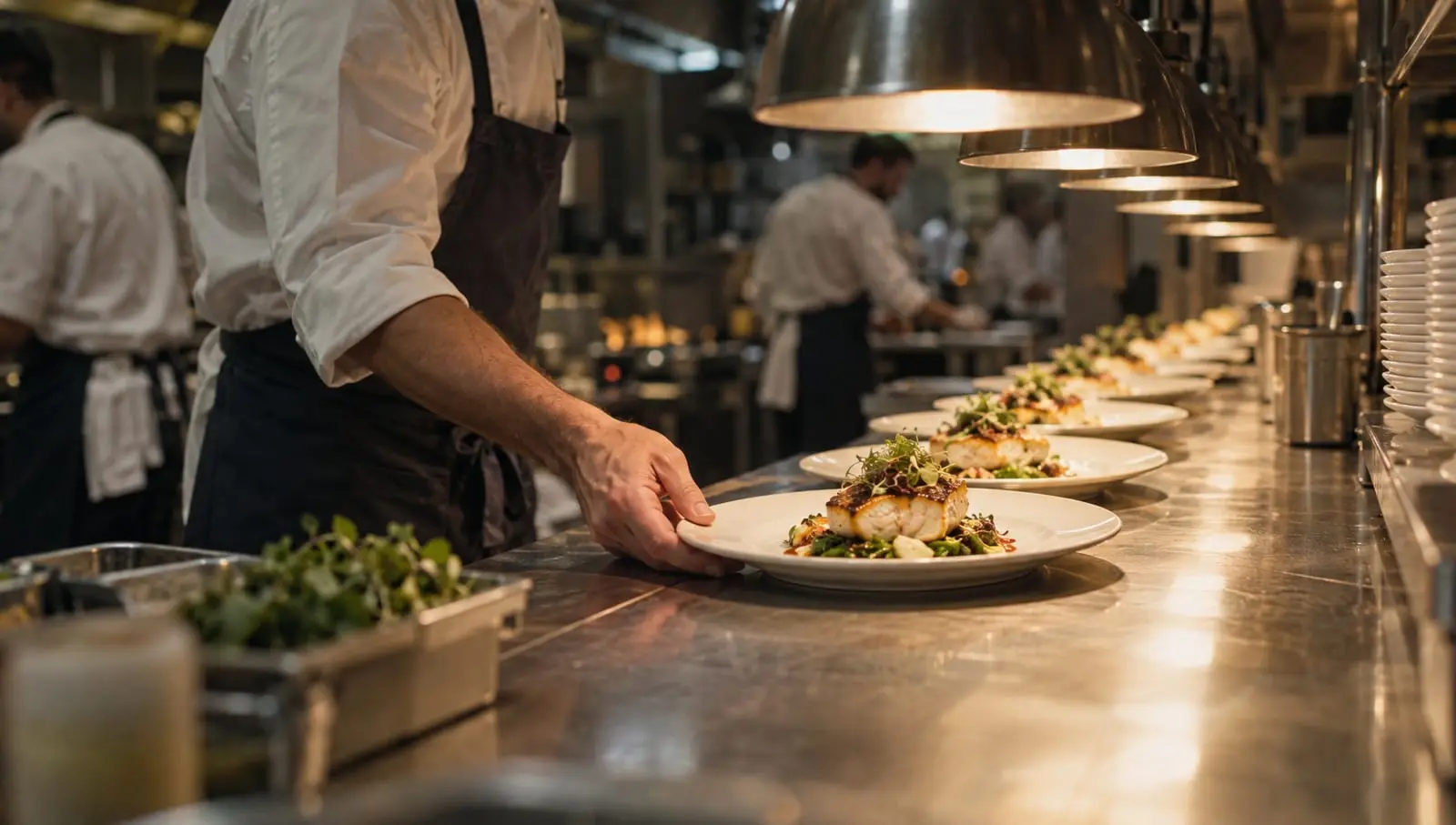
How to generate campaign-ready ads and images with one API call
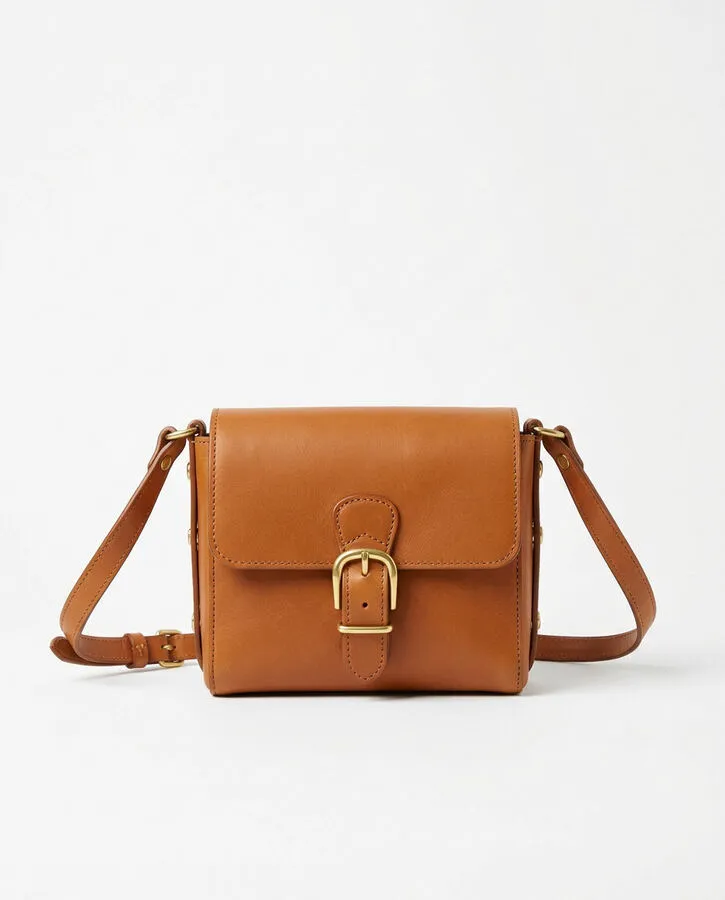
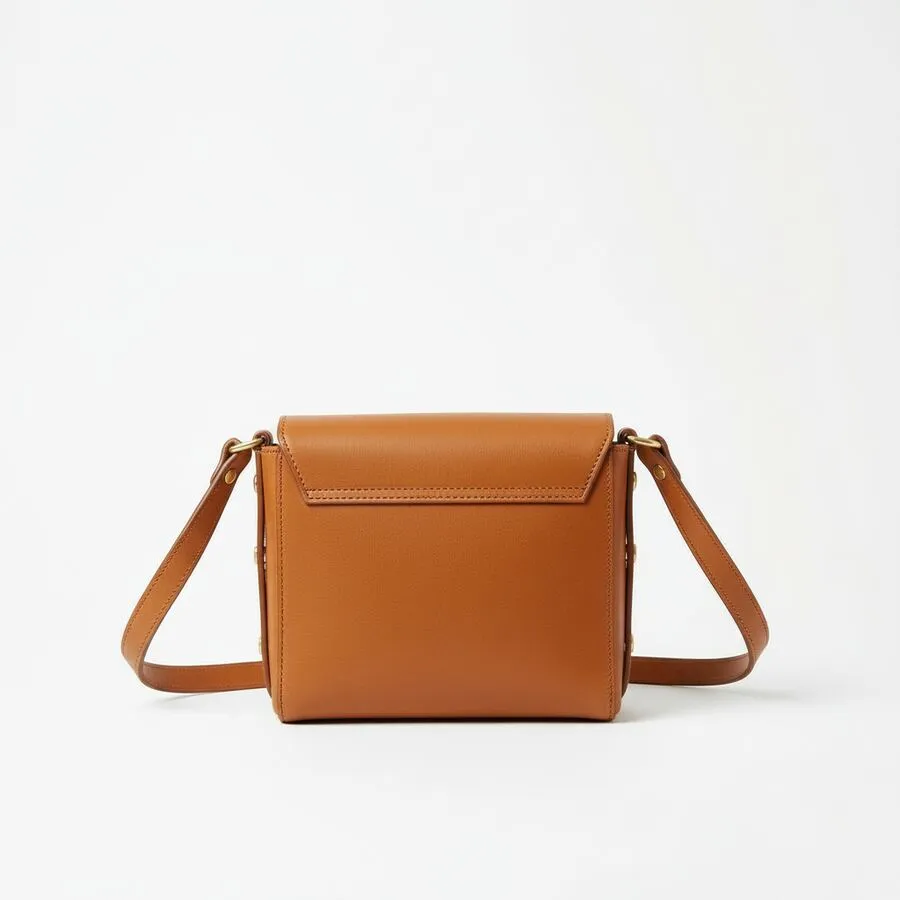
Product Ad: Product photos and a brief in, a video ad of 4 to 15 seconds out.
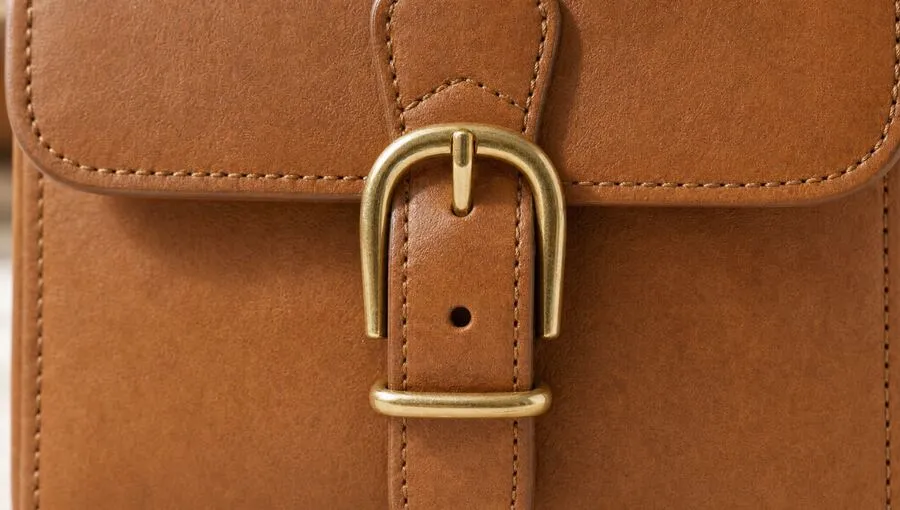
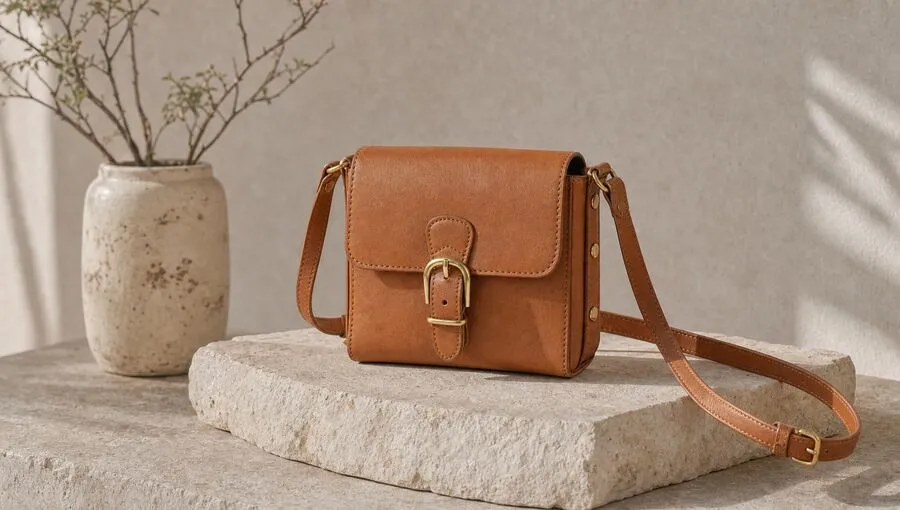


Product Campaign Image: One product photo and a style brief in, four campaign shots of that product out.
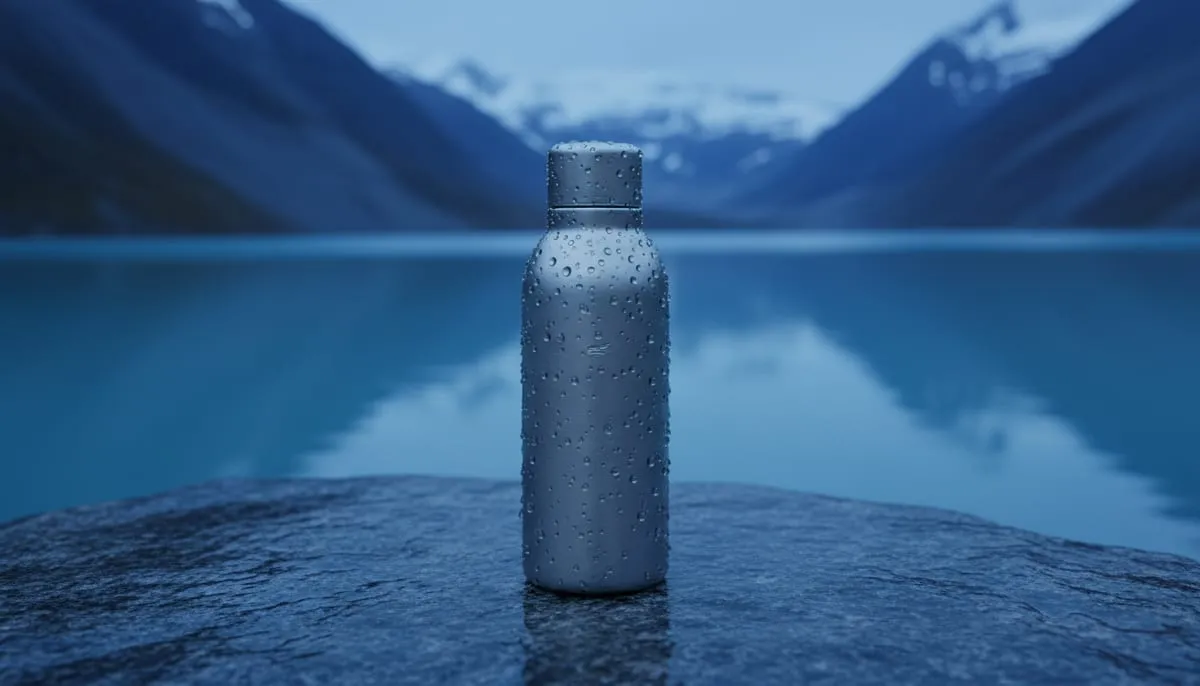
Multi-Shot Video: A story or a shot list in, one video that cuts between scenes out. Here it wrote the five shots itself.

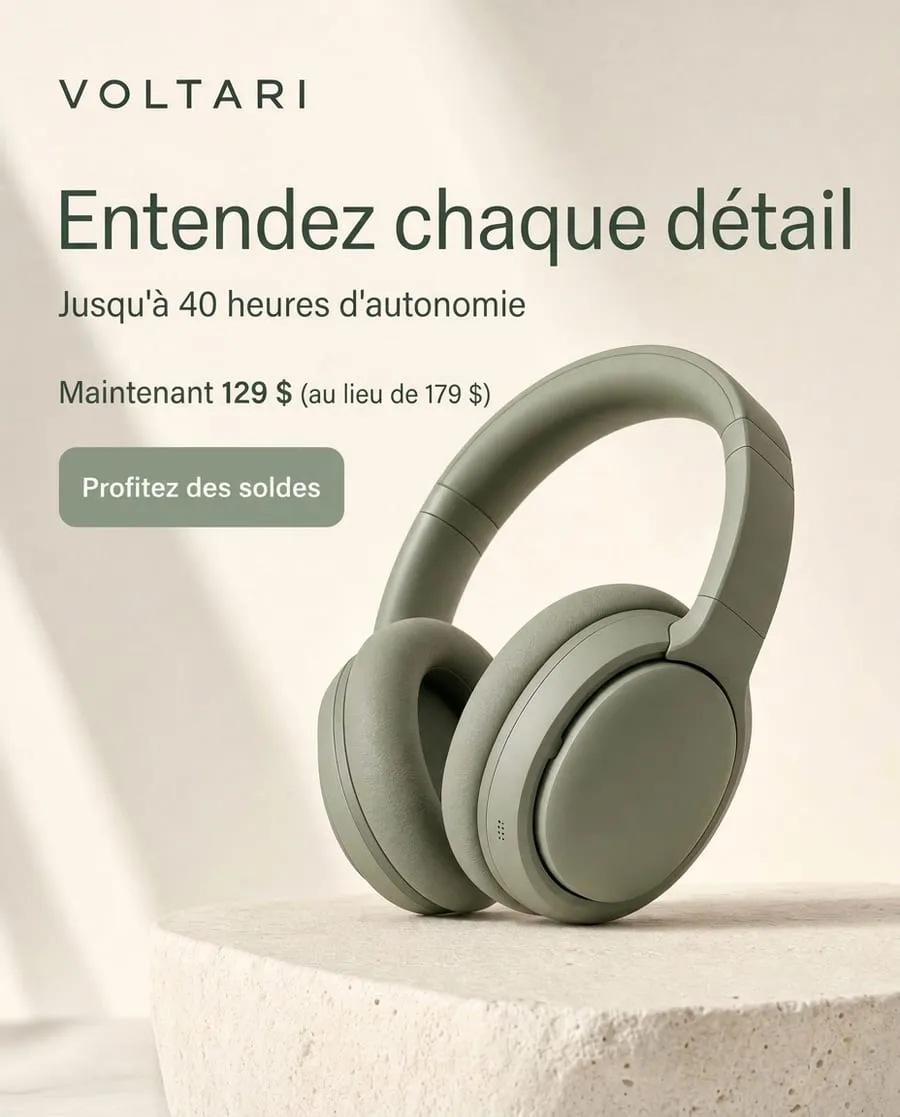

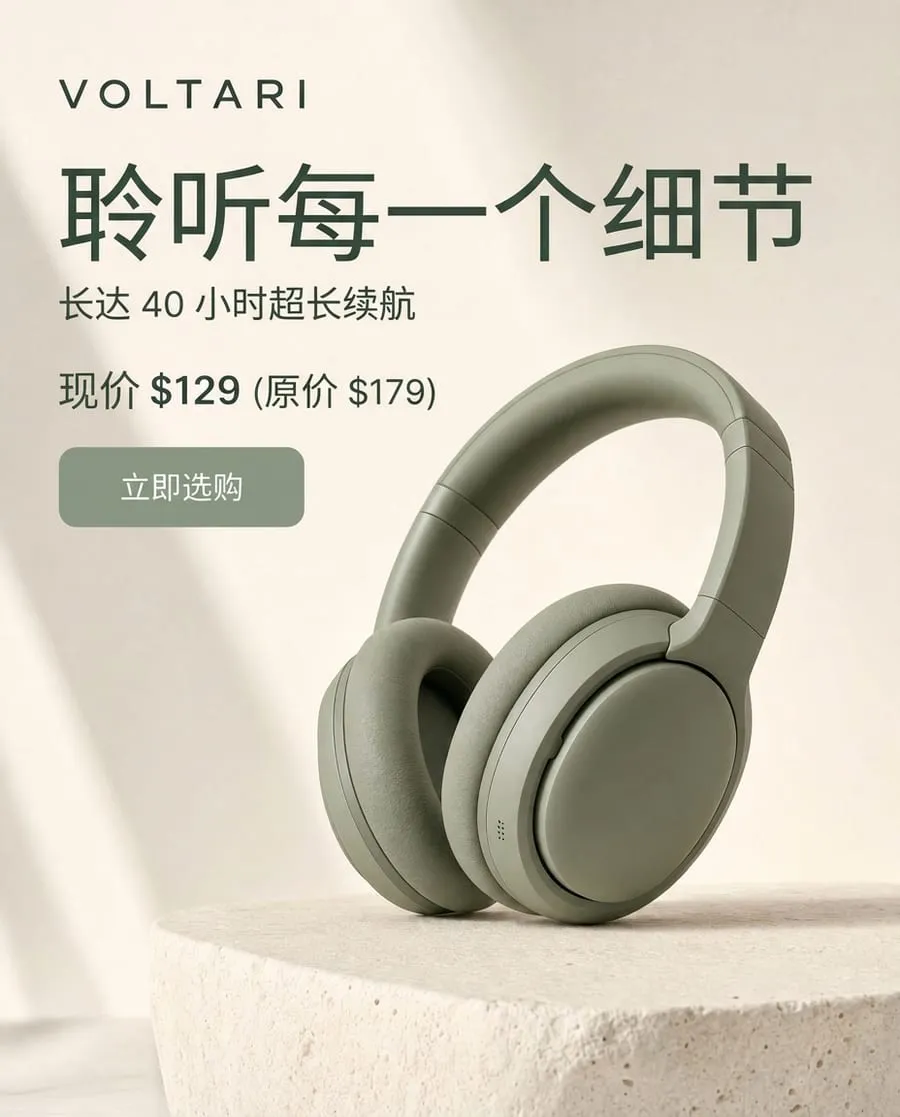
Ad Localization: An ad image and a language in, the same ad with its text translated out.
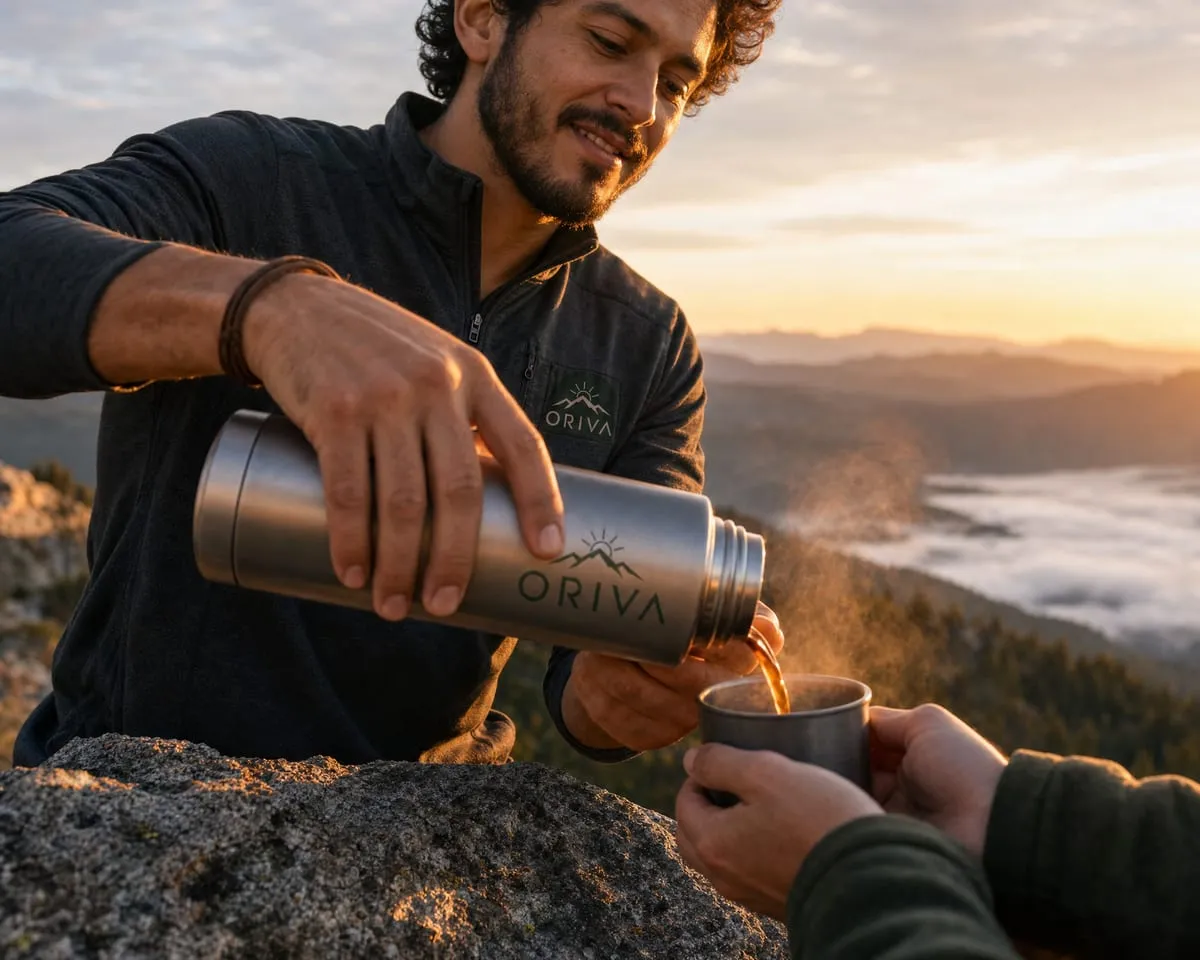
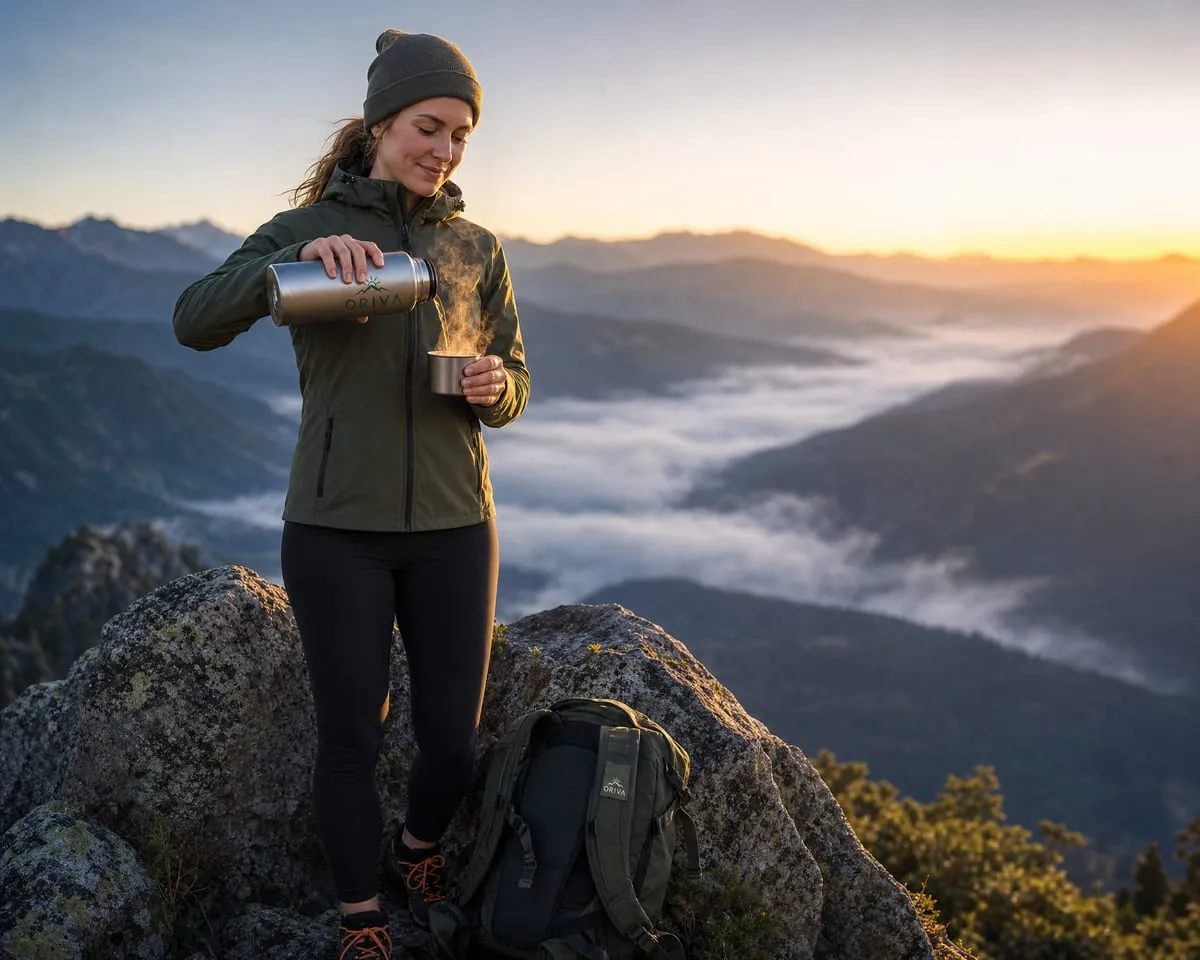
Marketing Stock Image: A brief and a brand logo in, up to four on-brand lifestyle images out.
Product Swap: An existing video and photos of a new product in, the same video with the new product out.
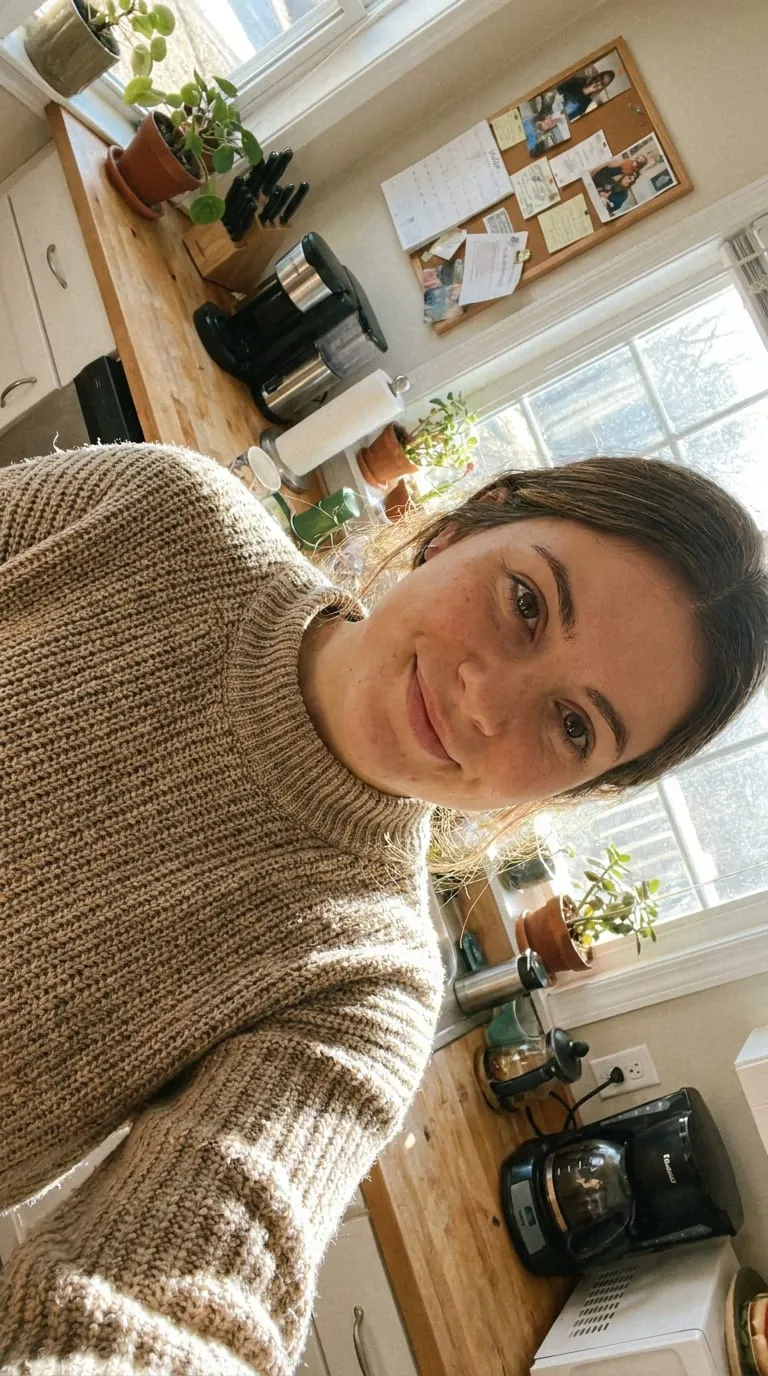
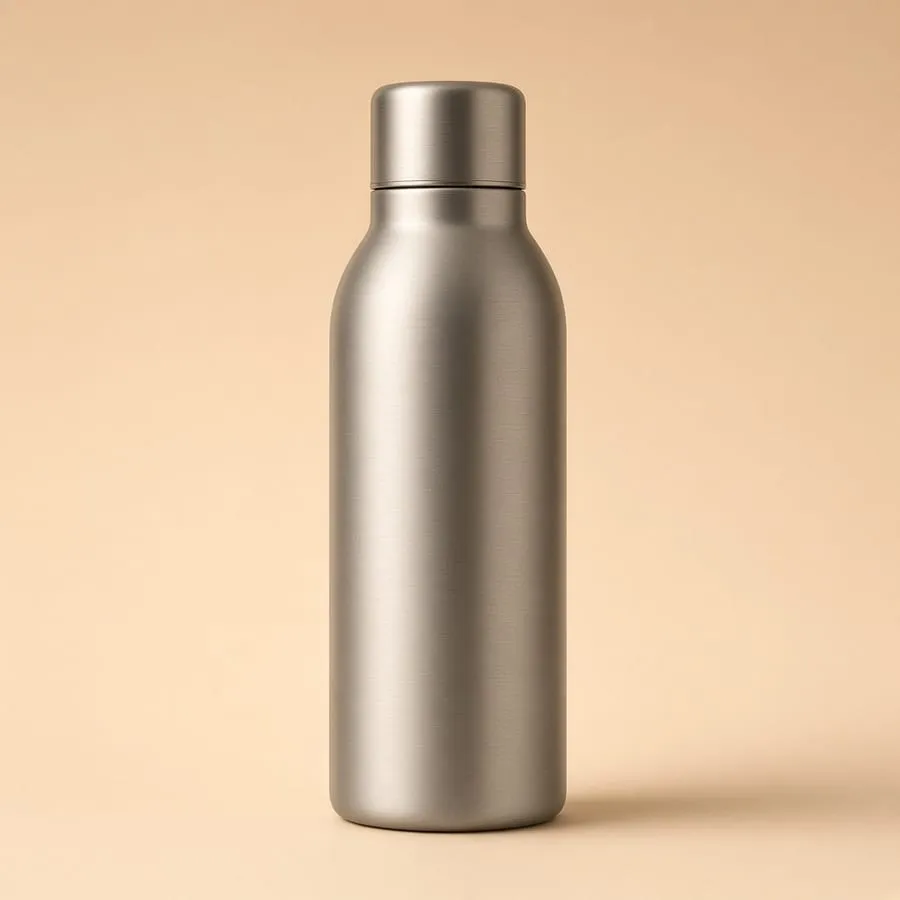
Product UGC: A photo of a creator and a product photo in, a vertical creator-style video with speech out.
Generating a video takes one API call. Publishing an ad takes a pipeline: the product has to look exactly as it is, campaign images have to look like one shoot, and a translated banner has to keep its price. Every step in that pipeline is a decision that is hard to get right:
- Reading the product: which details make it recognizable (the logo, the stitching, the label text) and which angle leads.
- Planning the shots: a storyboard or shot list, decided before anything is generated.
- Choosing the models: one for key frames, one for motion, another for edits, each with its own inputs, limits and failure modes.
- Writing the prompts: one per model and per shot, rewritten whenever the output drifts from the product.
- Checking and redoing: catching the shot where the product changed shape, and generating it again.
Getting one asset right takes several rounds, and much of the work has to be redone whenever a better model ships.
Recipes run the whole pipeline, so you describe the outcome instead of the steps
Recipes are Runway-built endpoints on Runway Dev that each return a campaign-ready asset for one use case, such as a product ad, a product swap or a localized ad image. You send reference media and a short brief, and the Recipe handles model selection, prompting and post-processing, with Runway’s prompting and workflow expertise packaged in. Runway trains its own frontier models and also serves the best from other labs, so a Recipe can use whichever model suits each step.
Runway Dev has seven Recipes, from product ads and product swaps to ad localization, and the examples on this page show one real run of each.
A Recipe is the better choice in a few common situations:
- The use case is a common one: product ads, product swaps, creator-style video, localization and campaign imagery are already covered, so building the pipeline yourself repeats work that has been done.
- Volume is high: one call per product, market or creator, with the same pipeline every time.
- Nobody on the team wants to maintain a pipeline: Runway publishes new versions as models improve, and you choose when to switch to one.
Every Recipe works like any other generation on Runway Dev. Call POST /v1/recipes/{name} with a version, or use the SDKs: client.recipes.productAd() in Node, client.recipes.product_ad() in Python. The response is a task id and an estimatedCost, the most the task may charge. There are no webhooks: poll GET /v1/tasks/{id} or let the SDK wait. When the task succeeds, output holds the asset URLs and cost holds what it charged. A dated version keeps the Recipe’s pipeline from changing under you, while unsafe-latest always runs the newest version.
How to generate a campaign-ready asset with a Recipe
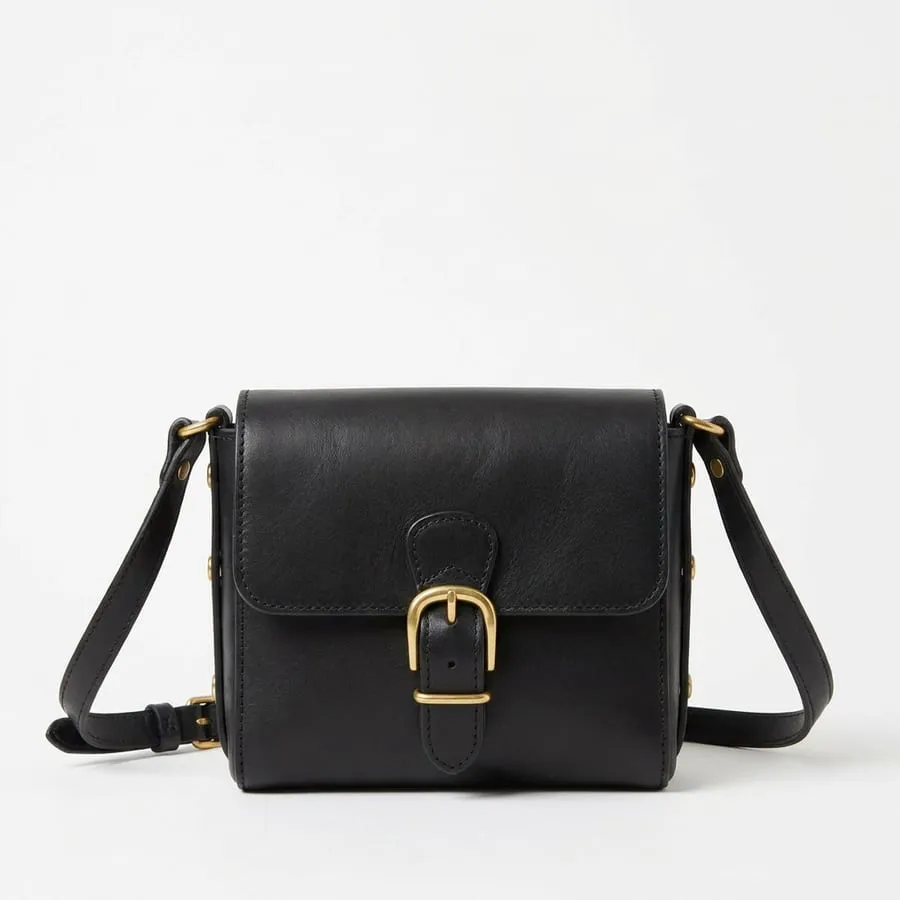
The walkthrough uses the leather-bag example: Product Campaign Image for the stills and Product Ad for the video, called in parallel.
1. Prepare the references
Recipes take the product’s look from your photos, so the better the photos, the better the result. Use the highest-resolution photo you have, with the product centered, unobstructed and evenly lit on a plain background, without watermarks or overlaid text. Where a Recipe accepts several product photos, send several angles: the bag run sent the front photo to both Recipes and added the back for the video. Runway’s reference media guidelines cover product, style, talent and video references.
2. Try it in the console
Each Recipe has a page in the Runway Dev console, such as Product Ad, with a form, preset examples, a JSON view and a Run button that bills the project selected in the console, so no API key is needed. Get code gives you the same request for your app.
3. Call it from your code
import RunwayML, { TaskFailedError } from '@runwayml/sdk';

const client = new RunwayML(); // Reads your API key from RUNWAYML_API_SECRET. Call Recipes from your server.
// For a local file: const { uri } = await client.uploads.createEphemeral({ file: fs.createReadStream('front.jpg') });
const front = { uri: 'https://example.com/harlow-front.jpg' };
const back = { uri: 'https://example.com/harlow-back.jpg' };
const wait = { timeout: 30 * 60 * 1000 }; // In milliseconds. The SDK's default is 10 minutes.

const [stills, video] = await Promise.allSettled([
  client.recipes
    .productCampaignImage({
      version: '2026-06',
      image: front,
      prompt:
        'Quiet heritage leather brand. Warm neutrals, soft daylight, natural textures, unhurried, nothing glossy. Clean e-commerce campaign photography of Harlow crossbody · tan leather.',
    })
    .waitForTaskOutput(wait),

  client.recipes
    .productAd({
      version: '2026-07',
      productImages: [front, back],
      productInfo:
        'Harlow crossbody · tan leather. Vegetable-tanned leather, solid brass buckle, adjustable strap. Fits a phone, keys and a wallet.',
      userConcept:
        'A real model wearing / using Harlow crossbody · tan leather in a short, natural e-commerce video. Quiet heritage leather brand. Warm neutrals, soft daylight, natural textures, unhurried, nothing glossy. Product exact, fabric and details preserved, one slow camera move, no text.',
      ratio: '720:1280',
      duration: 4,
      audio: false,
    })
    .waitForTaskOutput(wait),
]);

const errors = [];
for (const result of [stills, video]) {
  if (result.status === 'fulfilled') {
    console.log(result.value.output); // Four image URLs, then one video URL.
  } else if (result.reason instanceof TaskFailedError) {
    console.error(result.reason.taskDetails); // The failed task, with failure and failureCode.
  } else {
    errors.push(result.reason); // TaskTimedOutError: the task is still running, and taskDetails.id finds it later.
  }
}
if (errors.length) throw errors[0];
The code is the bag run’s request, with the photos shown as URLs. The brief describes the brand and the scene, and the photos define the product. Neither request names a model or contains a shot list. Promise.allSettled keeps one Recipe’s failure from discarding the other’s result, which is still billed; Errors and limits covers what each error means.
4. Read the cost and keep the output
The create response carries the estimate, and the finished task carries the charge. For the Product Campaign Image call, both were 144 credits:
POST /v1/recipes/product_campaign_image

{ "id": "f589f37a-3fa9-4a25-8a9c-9ab5828ca9f6", "estimatedCost": { "credits": 144 } }

GET /v1/tasks/f589f37a-3fa9-4a25-8a9c-9ab5828ca9f6

{ "status": "SUCCEEDED", "output": [ "https://…/…png", "https://…/…png", "https://…/…png", "https://…/…png" ], "cost": { "credits": 144 } }
At October 2026 prices the two bag calls come to 320 credits ($3.20). The images took about 5 minutes and the video about 7, running at the same time. Video and multi-image Recipes take minutes, so run them from a background job or a queue, and raise the SDK’s wait timeout for longer videos.
Output URLs expire within 24 to 48 hours, so save each asset to your own storage when the task succeeds, and keep the task id with it as a record of the run.
What Recipes cost
Recipes have list prices per call, per image or per second of video. At October 2026 prices, they run from 9 credits for one low-quality stock image to 188 credits for a 4-second Product Swap at 720p, and more for longer or 1080p video. Credits are $0.01 each.
| Recipe | You get | List price (credits) |
|---|---|---|
| Product Ad | A video ad from product photos, 4–15 s | 176 for 4 s at 720p, +30 per extra second |
| Product Campaign Image | Four campaign shots of one product | 144 |
| Multi-Shot Video | One video cutting between 3–5 shots: 5, 10 or 15 s | 13 per second at 720p, +4 per call |
| Ad Localization | An ad image with its text translated | 21 per image |
| Marketing Stock Image | 1–4 stock images from a brief | 88 for the default of four high-quality images |
| Product Swap | An existing video with your product in it, 4–15 s | 188 for 4 s at 720p, +30 per extra second |
| Product UGC | A vertical creator-style video, 4–15 s | 168 for 4 s at 720p, +30 per extra second |
1080p prices are in the reference below.
Using Recipes from a coding agent
Start from Quickstart in Runway Dev. Its setup prompt has your coding agent install the Runway Dev skills, including the Recipes skill, and connect the Runway Dev MCP. Runway Dev MCP gives the agent access to your Runway Dev account, so it can configure tools such as Model Routers, and gives it the context it needs to build with Runway Dev. Then describe the asset rather than the endpoint:
Add a “Generate listing media” button to the product admin. From the product’s photos it should make four campaign images and a 4-second vertical video. Pick the Recipes, pin their versions and run them in a background job.
The agent matches the request to Recipes from the documentation and writes the calls behind your server boundary. The Recipes skill has it run a paid test only when you ask for one or approve it, after checking the project’s credit balance, and it reads a task’s status and output with the MCP’s get_task.
When not to use a Recipe
Skip Recipes when none fits the asset, when you have a specific creative idea or when you only need cheap drafts.
- No Recipe covers the job: for example, a 360° product spin. Build it from model calls and let a Model Router pick the model.
- You have a specific creative idea: a Recipe is built for a known use case. To realize your own concept shot by shot, build it as a Workflow.
- You only need drafts: a Recipe is tuned for a campaign-ready result. A 5-second, 640×640 draft clip routed for cost came in at 25 credits in our runs, against 176 for a 4-second Product Ad.
Send your first Recipe request from the console. Create an account to start building.
Recipe reference
All media inputs are { uri } objects: an HTTPS URL (up to 16 MB for an image, 32 MB for a video), a Runway upload URI or a base64 data URI of up to 5 MB, about 3.3 MB of file. For larger local files, such as a reference video, upload them first with client.uploads.createEphemeral(), which returns a runway:// URI that is valid for 24 hours. Images can be JPEG, PNG or WebP, with an aspect ratio between 0.4 and 4. Durations are in seconds, and prices are October 2026 list prices. Inputs lists the requirements for URLs.
Product Ad
product_ad turns photos of a product into a video ad. It analyzes the product, builds a storyboard and renders the video.
- Required:
version(2026-07,2026-06orunsafe-latest);productImages, 1–10 photos, the first used as the primary reference. - Optional:
styleImages(up to 4, for lighting, palette and mood);productInfo(up to 2,500 characters);userConcept(creative direction, up to 3,500);ratio(1280:720,720:1280,960:960,834:1112,1920:1080,1080:1920,1440:1440,1248:1664);duration(4–15, default 10);audio(default off). Withoutratio, a Product Ad renders at1920:1080and is billed at the 1080p rate. - Returns: one video URL.
- Price: 720p: 176 credits for 4 seconds, +30 per extra second. 1080p: 216, +40.
Product Campaign Image
product_campaign_image returns four campaign images of one product, each a different shot, with the product held constant.
- Required:
version(2026-06orunsafe-latest);image(the product);prompt(the style brief, up to 3,500 characters). - Returns: four PNG image URLs.
- Price: 36 credits per 1080p image, 144 per call.
Multi-Shot Video
multi_shot_video makes one video that cuts between scenes. In auto mode it splits a story prompt into five shots; in custom mode it refines a shot list you provide.
- Required:
version(2026-06orunsafe-latest);promptforautomode (up to 2,500 characters) orshotsforcustommode (3–5 shots, each a prompt of 3–512 characters and a duration of 1–15 seconds, summing toduration). - Optional:
mode(autoorcustom, defaultauto);firstFrame;ratio(720p:1280:720,720:1280,960:960; 1080p:1920:1080,1080:1920,1440:1440; default1280:720);duration(5, 10 or 15, default 10);audio(default on). - Returns: one video URL.
- Price: 13 credits per second at 720p, 17 at 1080p, with audio; 9 and 12 without. Each call adds 4 credits for the language model that plans the shots.
Ad Localization
ad_localization translates the text in an ad image and keeps the layout and creative.
- Required:
version(2026-06orunsafe-latest);referenceImage;targetLanguage, one of 22 codes:ar,zh,zh-Hant,nl,en,fr,de,hi,id,it,ja,ko,pl,pt,ru,es,sv,th,tr,uk,vi,el. - Returns: one PNG image URL. Check brand names, prices and legal text in the output before you publish it.
- Price: 21 credits per image.
Marketing Stock Image
marketing_stock_image turns a brief into stock images, with an optional logo as a reference.
- Required:
version(2026-06orunsafe-latest);prompt(subject, audience, channel, mood and constraints, up to 3,500 characters). - Optional:
referenceImage(a logo);outputCount(1–4, default 4);quality(low,mediumorhigh, defaulthigh). With one image, a run typically takes about 40 seconds atlowand about 3 minutes athigh. - Returns:
outputCountPNG image URLs. - Price: 8 credits per call, plus 1–20 per image by quality. The default of four high-quality images is 88.
Product Swap
product_swap replaces the product in an existing video with yours and keeps the camera move and the lighting. It works best for like-for-like swaps, such as a new colorway.
- Required:
version(2026-06orunsafe-latest);referenceVideo(1.8 to 15 seconds);originalProductImage(the product in the video);newProductImages(1–10, each with an optionalviewoffront,sideorback). - Optional:
duration(4–15, default 10);resolution(720por1080p, default720p);audio(default on). - Returns: one video URL.
- Price: 720p: 188 credits for 4 seconds, +30 per extra second. 1080p: 228, +40.
Product UGC
product_ugc makes a vertical, creator-style promo video from a photo of the creator and a photo of the product.
- Required:
version(2026-06orunsafe-latest);characterImageandproductImage. - Optional:
productInfo(up to 2,500 characters);userConcept(tone, message or a full script, up to 3,500);duration(4–15, default 15);ratio(720:1280or1080:1920);audio(default on). - Returns: one video URL. The creator photo is screened before generation: a declined photo fails the task with
failureCodeINPUT_PREPROCESSING.SAFETY.THIRD_PARTYand is refunded, so test the presenter photos your app will use before launch, and use photos you have the rights to. - Price: 720p: 168 credits for 4 seconds, +30 per extra second. 1080p: 208, +40.
Errors and limits
Without an SDK, send requests to https://api.dev.runwayml.com with Authorization: Bearer <key> and X-Runway-Version: 2024-11-06. The SDKs read the key from RUNWAYML_API_SECRET; keep it on your server.
- Statuses: a task is
PENDING,THROTTLED,RUNNING,SUCCEEDEDorFAILED. A cancelled task returns 404. - Failures: a
FAILEDtask carries afailuremessage and afailureCode(task failures). The SDK’s wait throwsTaskFailedError, with the task intaskDetailsin Node. Don’t resubmit automatically: each request is a new task and a new charge, and a moderation or input failure will fail again. - Timeouts: the SDK’s timeout (
TaskTimedOutErrorin Node,TaskTimeoutErrorin Python) stops the waiting, not the task. Keep the task id and fetch the task later. - Limits: your project’s usage tier sets how many tasks run at once and how many start per day, per Recipe or model, and a maximum monthly spend. Tasks over the concurrency limit wait as
THROTTLED, and the SDK’s timeout keeps counting while they wait; requests over a daily limit return 429. Tiers go up automatically as your spend grows. - Request errors: a 400 explains the problem in
error; see errors for the other status codes. - Cancelling:
DELETE /v1/tasks/{id}cancels a task that hasn’t finished.
FAQ
What is a Recipe on Runway Dev?
A Recipe is a Runway-built API endpoint on Runway Dev for one use case, such as a product ad, a product swap or a localized ad image. You send reference media and a short brief, and it returns a production-ready asset. Model selection, prompt engineering and post-processing happen inside the Recipe, with Runway’s prompting and workflow expertise packaged in.
How do I generate a product ad with an API?
Send 1 to 10 product photos, an optional description and a line of creative direction to the Product Ad Recipe, POST /v1/recipes/product_ad, with a version such as 2026-07. When the task succeeds, its output is a video ad of 4 to 15 seconds.
How do I make campaign images from one product photo?
Send the photo and a style brief to the Product Campaign Image Recipe, POST /v1/recipes/product_campaign_image. It returns four campaign images of the same product for 144 credits.
How do I translate the text in an ad image?
Send the image and a target language to the Ad Localization Recipe, POST /v1/recipes/ad_localization. It translates the text and keeps the layout, for 21 credits per image, with 22 target-language codes including Simplified and Traditional Chinese.
How much does a Recipe cost?
Each Recipe has its own list price. At October 2026 prices, they run from 9 credits for one low-quality stock image to 188 for a 4-second Product Swap at 720p; the cost table lists them all. Credits are $0.01 each. The create response includes estimatedCost, and the finished task reports the actual cost.
How long does a Recipe take?
Usually minutes. In our runs, Product Campaign Image took about 5 minutes, a 4-second Product Ad about 7, Product Swap about 7 and Multi-Shot Video about 3; Ad Localization took under a minute per language. Call Recipes from a background job, and raise the SDK wait timeout, which defaults to 10 minutes.
Will a Recipe’s output change when Runway updates it?
A dated version keeps the Recipe’s pipeline from changing under you, while unsafe-latest takes each update as it ships. Results still vary from run to run, and Runway may update the models and prices behind a version. Product Ad accepts 2026-06 and 2026-07; the other Recipes currently accept 2026-06.
Which models does a Recipe use?
Each Recipe picks the model for each of its steps, and Runway may update those models within a version. To choose the models yourself, build a Workflow or call the models directly.
What is the difference between a Recipe, a Workflow and a Model Router?
A Recipe is a pipeline Runway builds and maintains for one use case, such as a product ad. A Workflow is a pipeline you build in the Runway app and publish as your own endpoint. A Model Router runs no pipeline; it picks the model for a single generation by cost, quality or latency.
Can I run a Recipe across a whole catalog?
Yes. Call the Recipe once per product from a queue, and save each output to your own storage with its task id. Your usage tier sets how many tasks run at once and per day; tasks over the concurrency limit wait as THROTTLED, and tiers go up as your spend grows.
Are failed Recipe requests charged?
No. When a Recipe task fails, its credits go back to your balance and the task reports a cost of 0, so you pay only for assets that were delivered. The exception is a run that input moderation stops partway through, with a failureCode starting SAFETY.INPUT; that charge is kept. A request that moderation rejects when you submit it is never charged.
Start building on Runway Dev
Related articles
 Use cases
How to generate product videos with an API, at scale
How to build an API pipeline that turns product photos into finished video ads, which model to use at each step, and what a product video costs.
 Apps
AppsTurn one product photo into a full product listing
Turns one product photo into studio photos, an on-model video and a 360° spin, and shows the price before it runs.
 Tutorials
Turning a multi-step pipeline into one API endpoint
Runway Dev Workflows publish a multi-model pipeline as one API endpoint, so your code makes one request and designers can change it without a code release.